awesome_shake_widget 1.1.0
A Flutter widget that provides shake animation and optional vibration effects, great for invalid forms, attention prompts, and user interaction feedback.
🚀 awesome_shake_widget
A customizable Flutter widget that adds shake animations with haptic and vibration feedback. Perfect for invalid forms, error indicators, or drawing attention to UI components.



✨ Features
- Shake any widget on demand
- Built-in presets:
light,medium,heavy - Optional vibration (custom or haptic)
- Fully customizable offset, pattern & intensities
- Easy to trigger using a
GlobalKey
📦 Installation
dependencies:
  awesome_shake_widget: ^1.0.1
Run:
flutter pub get
🧪 Usage
1️⃣ Standard (Shake + Vibration)
By using the built-in presets — light, medium, heavy and custom — you can quickly apply different vibration intensities and patterns, perfectly paired with UI shake animations for a dynamic and responsive user experience.
final shakeKey = GlobalKey<ShakeWidgetState>();

ShakeWidget(
  key: shakeKey,
  preset: ShakePreset.medium,
  child: Text("Tap Me"),
);

// Somewhere else, e.g., on button press:
shakeKey.currentState?.shake();
2️⃣ Shake Only (No Vibration)
If you only want the visual shake effect without vibration, you can set vibrationType to VibrationType.none using the ShakeConfig. To customize the intensity of the shake, adjust the offset value — higher values will produce a stronger visual effect.
ShakeWidget(
  key: shakeKey,
  customConfig: ShakeConfig(
    offset: 20,
    vibrationType: VibrationType.none,
  ),
  child: Icon(Icons.info),
);
3️⃣ Advanced Configuration: Full Control Over Visual and Vibration Effects
You can also create custom vibration patterns by setting vibrationType to VibrationType.custom, and providing your own pattern and intensities. This gives you full control over the vibration behavior.
ShakeWidget(
key: shakeKey,
customConfig: ShakeConfig(
offset: 32,
pattern: [0, 50, 100, 50],
intensities: [255, 0, 255, 0],
vibrationType: VibrationType.custom,
),
child: Text("Custom Shake!"),
);
Trigger it via:
shakeKey.currentState?.shake();
🎥 Demo
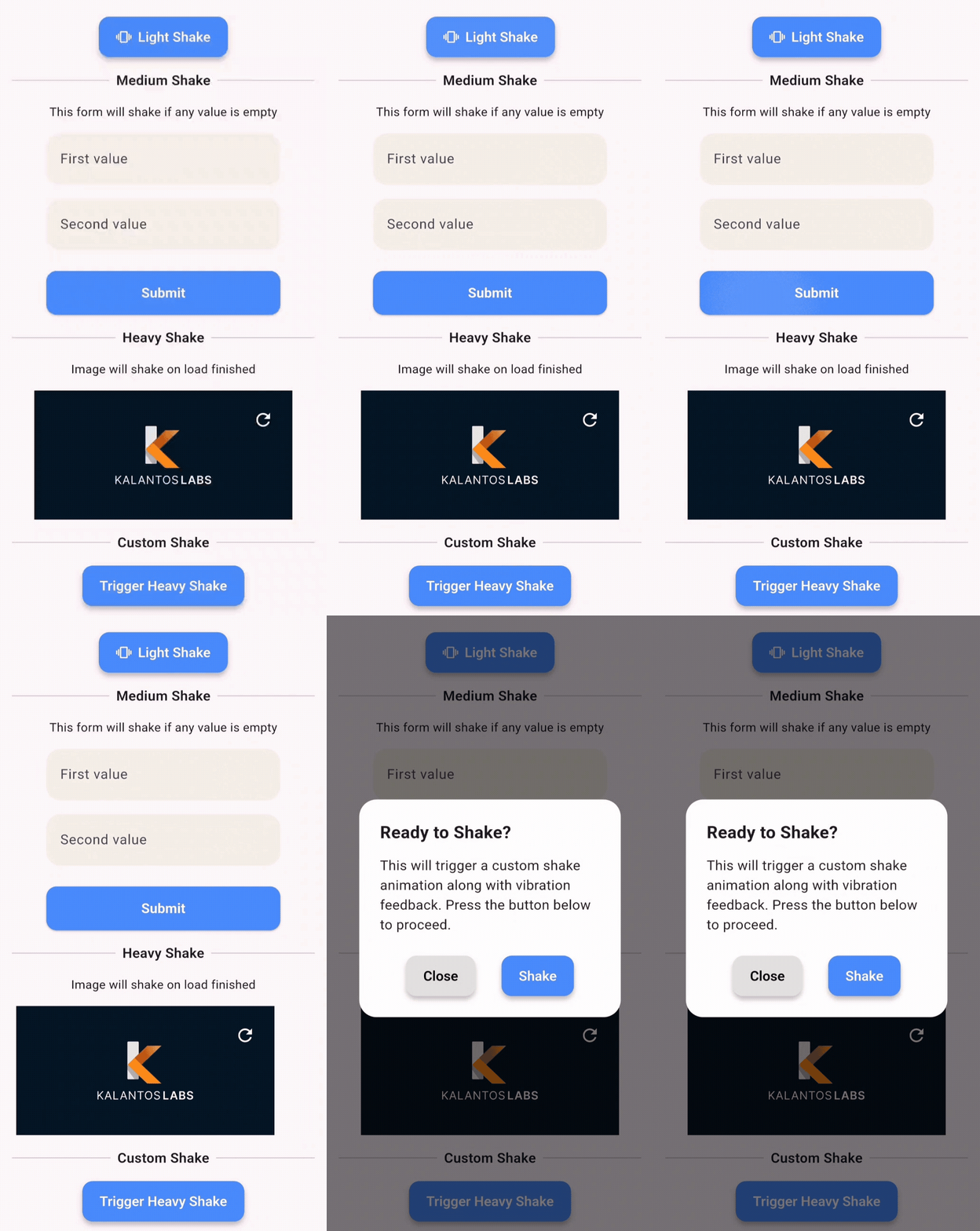
This demo shows how you can apply shake animations to:
- ✅ Buttons
- 💬 Dialogs
- 🖼️ Images
- ✏️ Text fields
- 📦 Any widget
🧩 API Reference
Enum: ShakePreset
| Value | Offset | Vibration |
|---|---|---|
| light | 8 | Haptic |
| medium | 16 | Haptic |
| heavy | 24 | Patterned Vibe |
| custom | User-defined | Custom |
Enum: VibrationType
none– no vibrationhaptic– system haptic feedbackcustom– vibration with pattern/intensity (Android only)
ShakeConfig
ShakeConfig({
  required double offset,
  List<int>? pattern,
  List<int>? intensities,
  VibrationType vibrationType = VibrationType.haptic,
});
💡 Example App
Clone and run the example:
cd example
flutter run
Example main.dart:
import 'package:flutter/material.dart';
import 'package:awesome_shake_widget/shake_widget.dart';

void main() => runApp(const MyApp());

class MyApp extends StatelessWidget {
  const MyApp({super.key});

  @override
  Widget build(BuildContext context) {
    return MaterialApp(
      home: ShakeDemo(),
    );
  }
}

class ShakeDemo extends StatelessWidget {
  final shakeKey = GlobalKey<ShakeWidgetState>();

  @override
  Widget build(BuildContext context) {
    return Scaffold(
      appBar: AppBar(title: const Text('Shake Demo')),
      body: Center(
        child: Column(
          mainAxisAlignment: MainAxisAlignment.center,
          children: [
            ShakeWidget(
              key: shakeKey,
              preset: ShakePreset.heavy,
              child: const Icon(Icons.warning, size: 64),
            ),
            const SizedBox(height: 32),
            ElevatedButton(
              onPressed: () => shakeKey.currentState?.shake(),
              child: const Text("Shake it!"),
            ),
          ],
        ),
      ),
    );
  }
}
📄 License
MIT © Juanma Del Boca