efsqlite 1.0.4
SDKflutter
Platformandroidiosmacos
Package For Management Your Database Easy For Flutter And Dart EF sqlite Manage And With Entity Framework And Auto Map No Generator
efsqlite Package For Easy DB With Provider AutoMap No Generator
- efsqlite You Can Management The Database Easy
- It's Auto ToMap FromMap
- No Generator
- Auto PK Generate
- Provider
- Your Own Query
- Remove DB
- Work With Enum
- View For Any Model Add Delete Edit Get
- Full App Design With EFMatrialApp
- You Can Call Actions From Model
- Default Items For Tables
- Auto Indexing
https://dev-wsmwebsite.pantheonsite.io/ https://dev-wsmwebsite.pantheonsite.io/efsqlite
Link For Youtube Docs
https://www.youtube.com/watch?v=JDz-EsoCzkA
Import efsqlite.dart
import '../../efsqlite.dart';
Create Class (database.dart)
 class Todo extends IModel {
     Todo({this.id, this.name, this.isDone});
     int? id;
     String? name;
     bool? isDone;
 }
Create Table (database.dart)
 EFTable<Todo> tb_todos = EFTable(
    tableName: "todos",
    primrayKeyType: PrimaryKeyEnum.AutoIncrement,
    properties: [
        EFProperty(
            name: "name",
            type: TypeEnum.STRING,
            propertyGet: (e) => e.name,
            propertySet: (e, v) => e.name = v,
            isIndexed: true,
        ),
        EFProperty(
            name: "isDone",
            type: TypeEnum.BOOL,
            propertySet: (e, v) => e.isDone = v,
            propertyGet: (e) => e.isDone,
        ),
    ],
    primaryKeyGet: (e) => e.id,
    primaryKeySet: (e, v) => e.id = v,
    newEmptyObject: () => Todo(),
 );
Create Sqlite Data (database.dart)
 SqliteData data = SqliteData(
     tables: [tb_todos],
     databaseName: "AppDb"
 );
Create Sqlite Query (database.dart)
 SqliteQuery<Todo> TodosManager = SqliteQuery(
     data: data,
     table: tb_todos
 );
Create View (main.dart)
 void main() {
    runApp(EfMaterialApp(
        theme: ThemeData(primarySwatch: Colors.blue),
        data: data,
        pages: [
            ModelPage<Todo>(
                page: (scaffold, heightDialog) =>
                    ManagePage<Todo>(
                        scaffold: scaffold,
                        query: TodosManager,
                        heightDialog: heightDialog,
                    ),
                table: tb_todos,
                appBarName: "Todos",
                icon: Icons.today_outlined,
            ),
        ],
        isDrawer: false,
    ));
 }
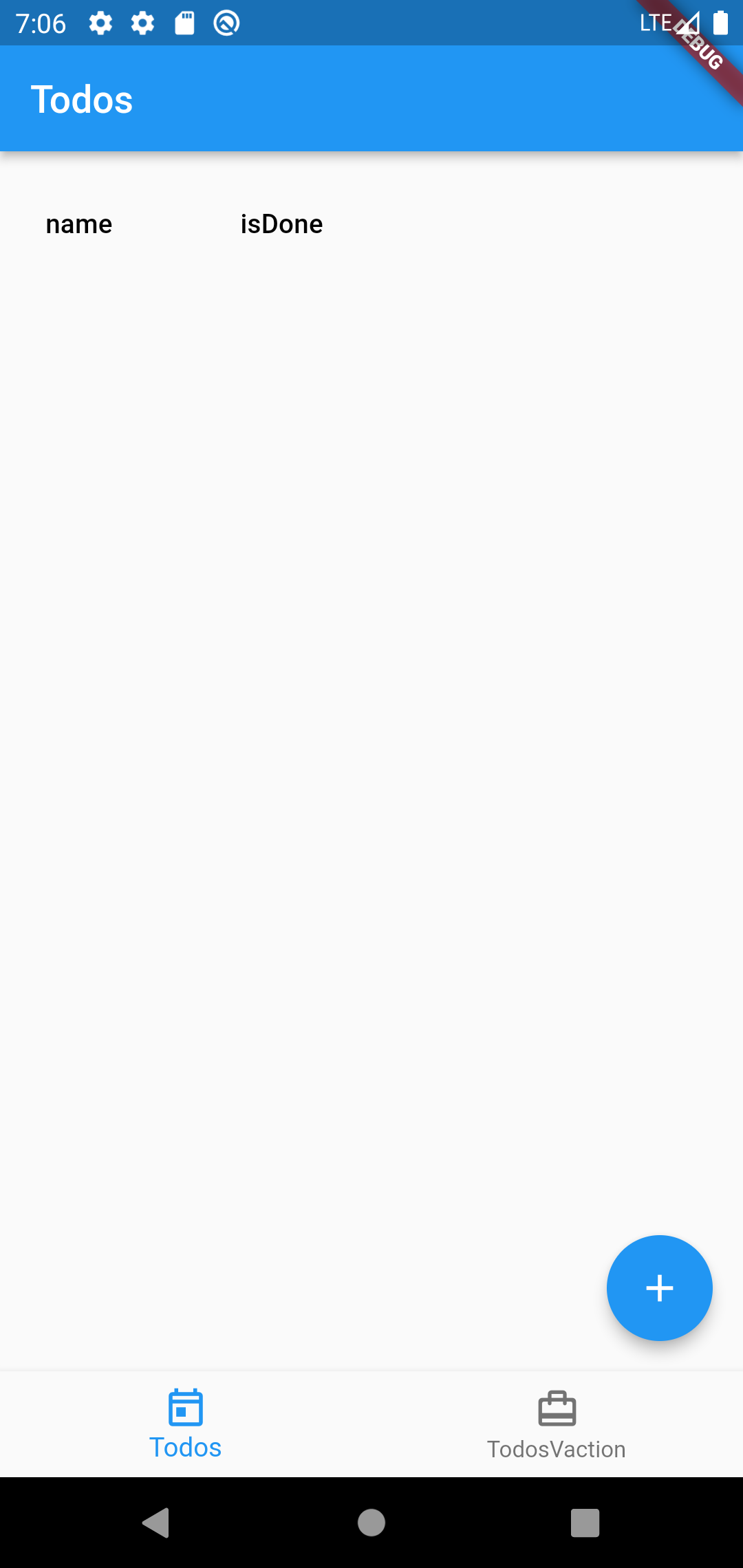
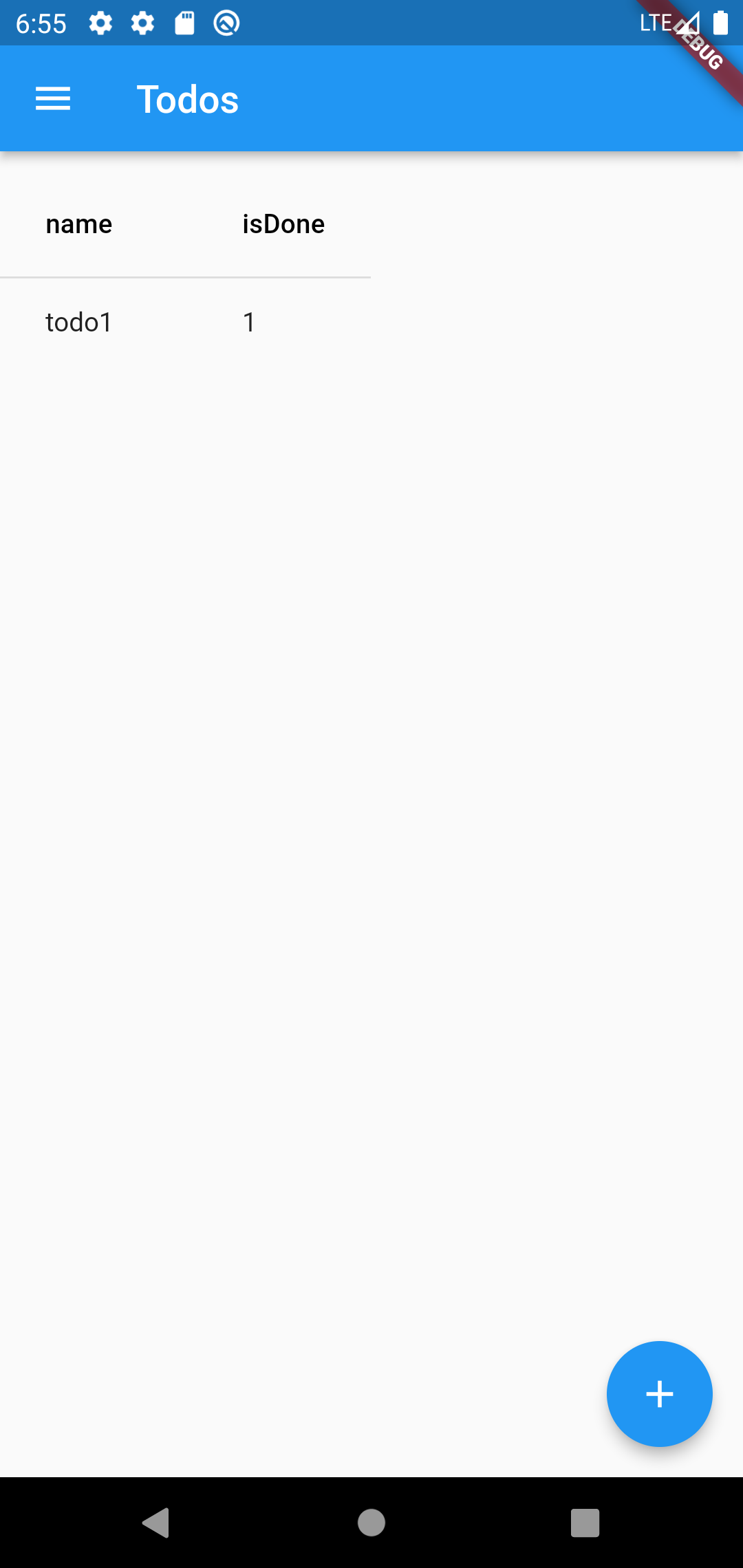
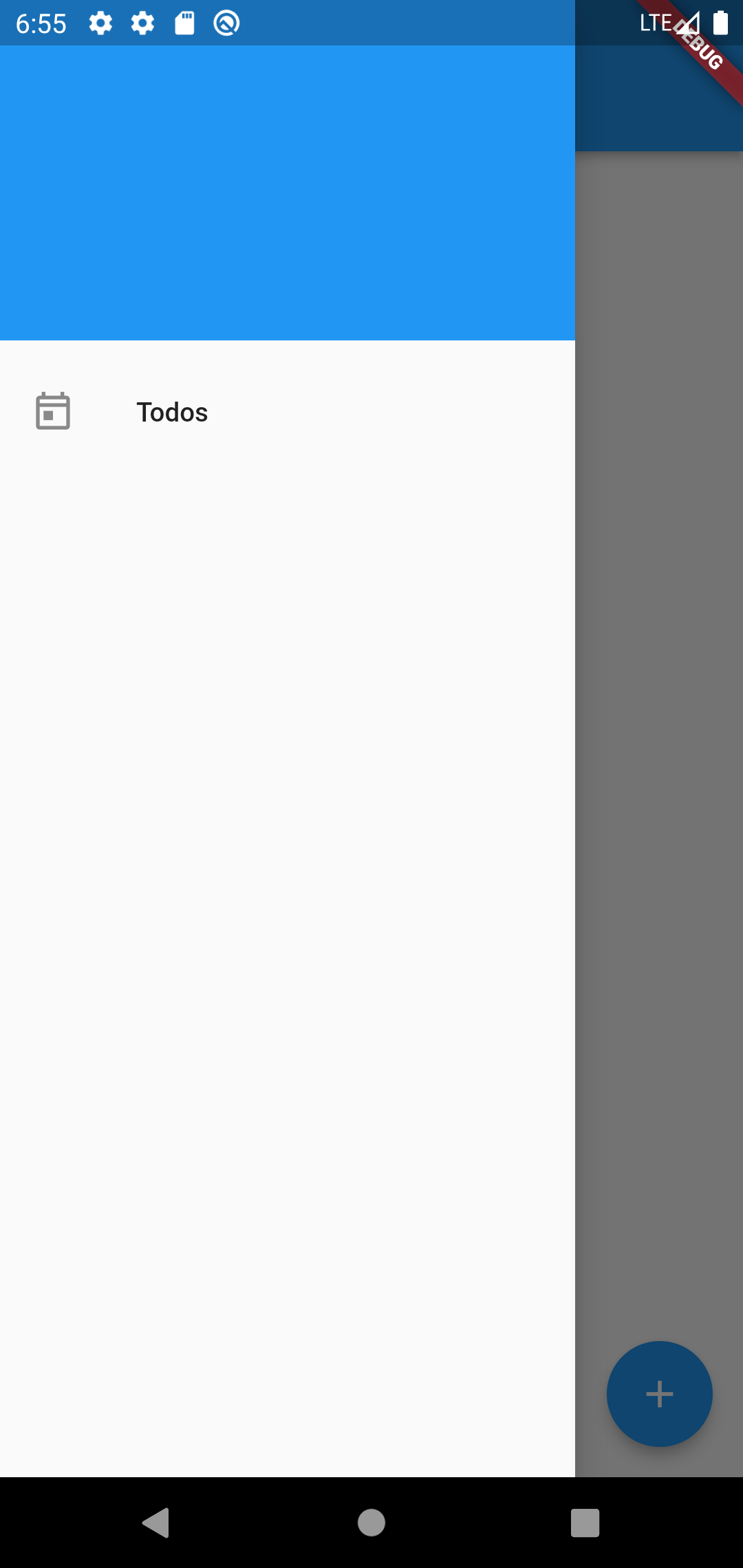
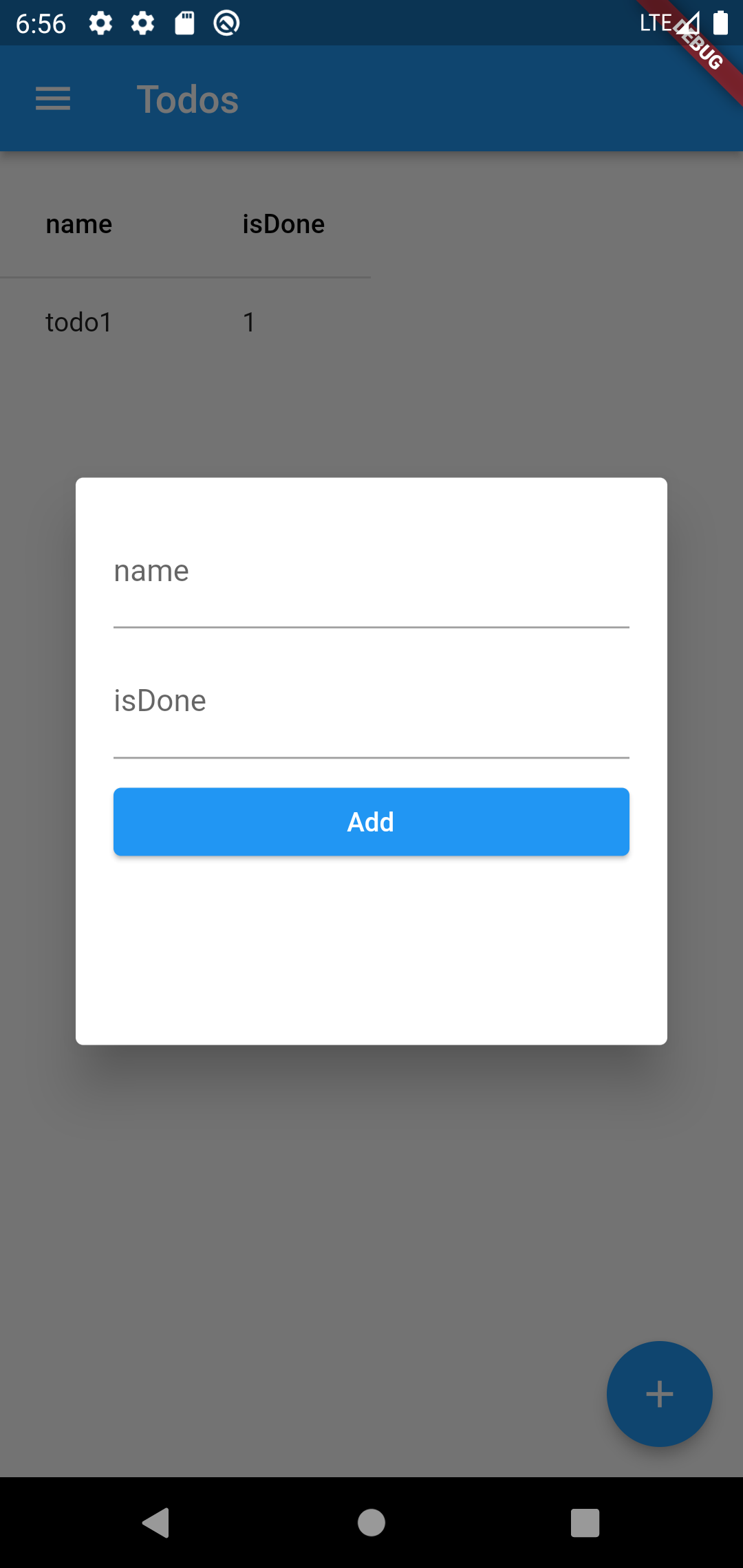
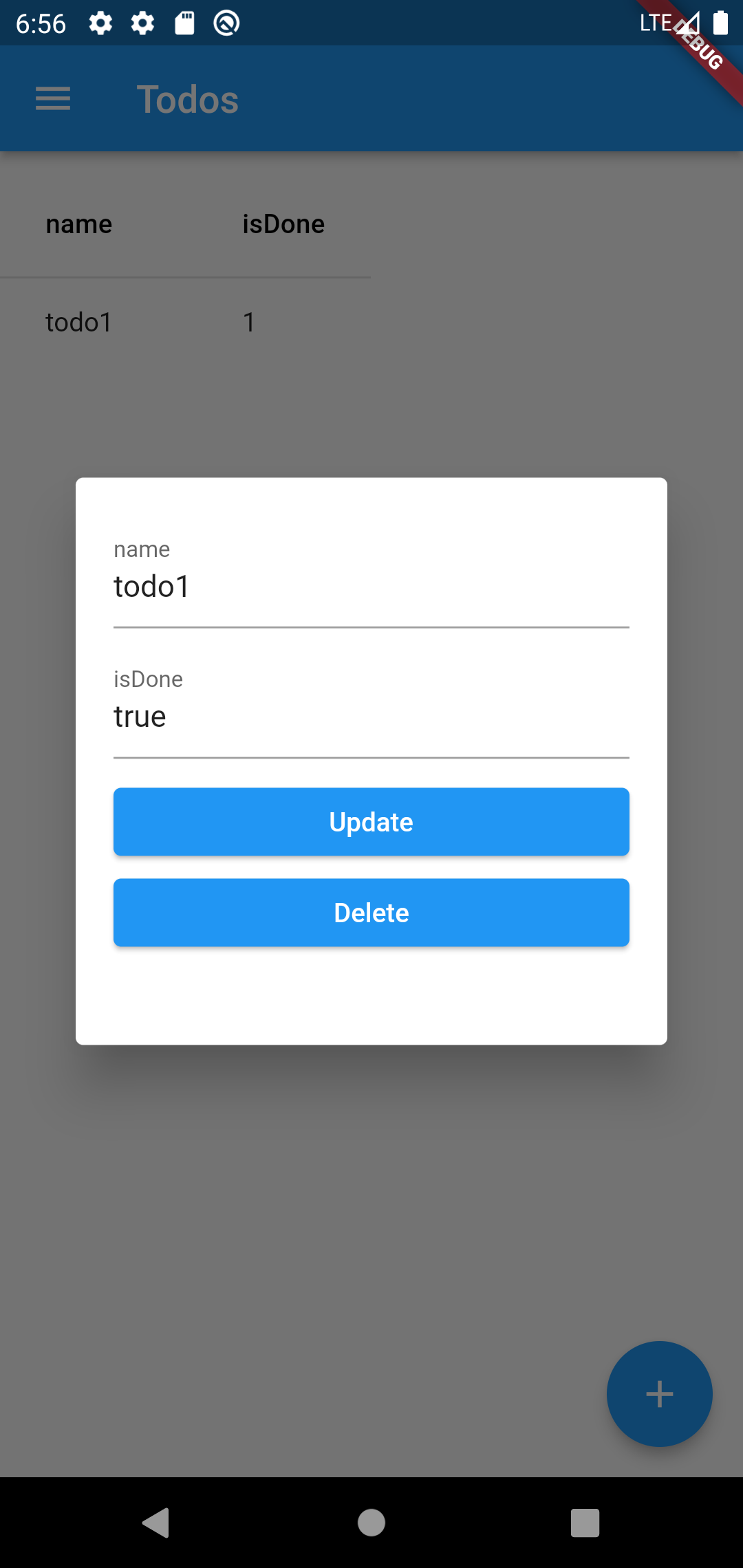
Preview You Can Edit The Theme
database.dart
import '../../efsqlite.dart';

class Todo extends IModel {
    Todo({this.id, this.name, this.isDone});
    int? id;
    String? name;
    bool? isDone;
}

class TodoVaction extends IModel {
    TodoVaction({this.id, this.name, this.isDone});
    int? id;
    String? name;
    bool? isDone;
}

EFTable<Todo> tb_todos = EFTable(
    tableName: "todos",
    primrayKeyType: PrimaryKeyEnum.AutoIncrement,
    properties: [
        EFProperty(
            name: "name",
            type: TypeEnum.STRING,
            propertyGet: (e) => e.name,
            propertySet: (e, v) => e.name = v,
            isIndexed: true,
        ),
        EFProperty(
            name: "isDone",
            type: TypeEnum.BOOL,
            propertySet: (e, v) => e.isDone = v,
            propertyGet: (e) => e.isDone,
        ),
    ],
    primaryKeyGet: (e) => e.id,
    primaryKeySet: (e, v) => e.id = v,
    newEmptyObject: () => Todo(),
);
EFTable<TodoVaction> tb_todoVactions = EFTable(
    tableName: "todoVactions",
    primrayKeyType: PrimaryKeyEnum.AutoIncrement,
    properties: [
        EFProperty(
            name: "name",
            type: TypeEnum.STRING,
            propertyGet: (e) => e.name,
            propertySet: (e, v) => e.name = v,
            isIndexed: true,
        ),
        EFProperty(
            name: "isDone",
            type: TypeEnum.BOOL,
            propertySet: (e, v) => e.isDone = v,
            propertyGet: (e) => e.isDone,
        ),
    ],
    primaryKeyGet: (e) => e.id,
    primaryKeySet: (e, v) => e.id = v,
    newEmptyObject: () => TodoVaction(),
);
SqliteData data =
    SqliteData(tables: [tb_todos, tb_todoVactions], databaseName: "AppDb");
SqliteQuery<Todo> TodosManager = SqliteQuery(data: data, table: tb_todos);
SqliteQuery<TodoVaction> TodoVactionsManager =
    SqliteQuery(data: data, table: tb_todoVactions);
main.dart
import './database.dart';
import 'package:flutter/material.dart';
import '../../efsqlite.dart';

void main() {
    runApp(EfMaterialApp(
        theme: ThemeData(primarySwatch: Colors.blue),
        data: data,
        pages: [
            ModelPage<Todo>(
                page: (scaffold, heightDialog) => ManagePage(
                    scaffold: scaffold,
                    query: TodosManager,
                    heightDialog: heightDialog,
                ),
                table: tb_todos,
                appBarName: "Todos",
                icon: Icons.today_outlined,
            ),
            ModelPage<TodoVaction>(
                page: (scaffold, heightDialog) => ManagePage(
                    scaffold: scaffold,
                    query: TodoVactionsManager,
                    heightDialog: heightDialog,
                ),
                table: tb_todoVactions,
                appBarName: "TodosVaction",
                icon: Icons.card_travel_rounded,
            ),
        ],
    ));
}
Preview Result You Can Edit The Theme
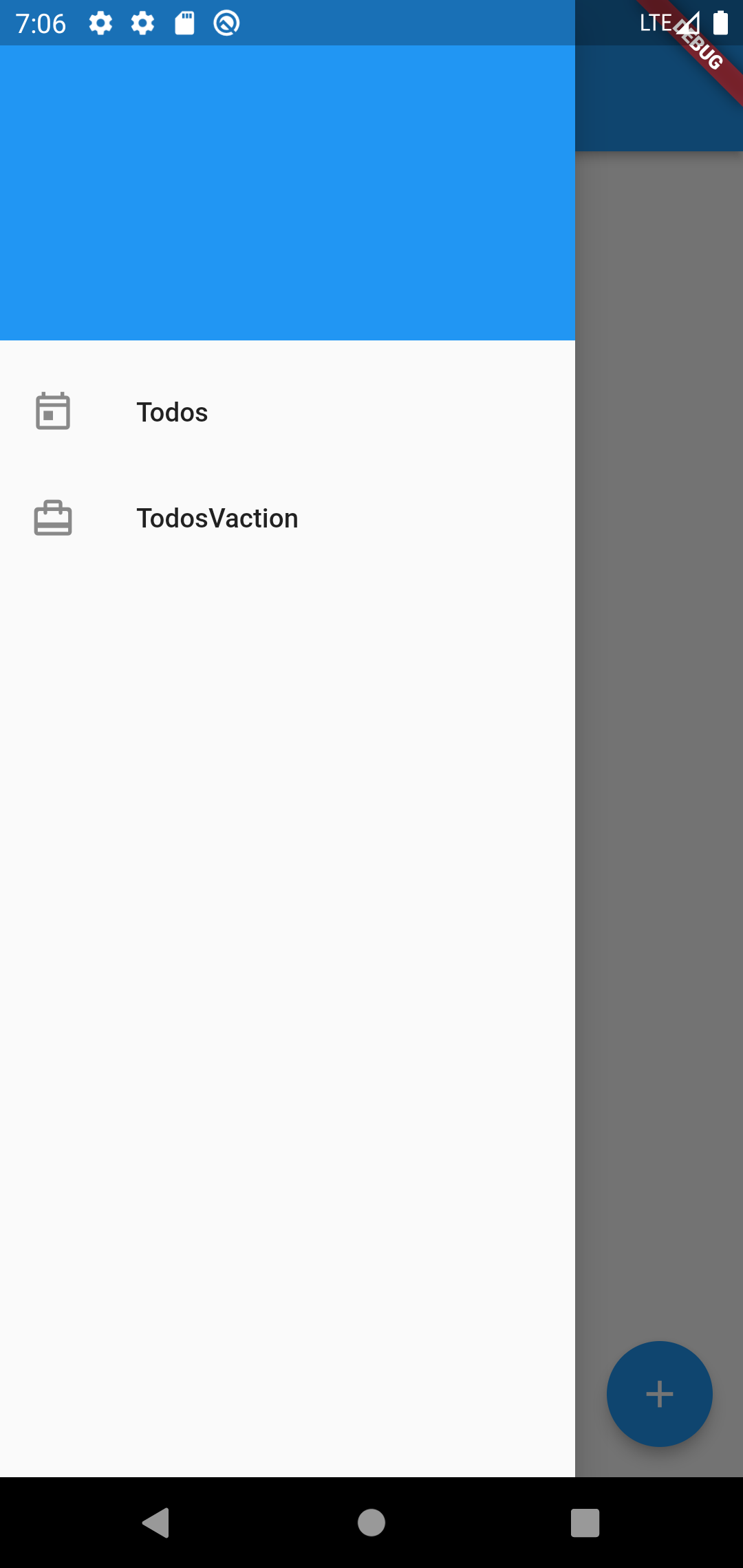
If We Edit isDrawer
runApp(EfMaterialApp(
    ...,
    isDrawer: false,
));