flutter_chat_ui_kit 3.0.6-pluto.beta.2
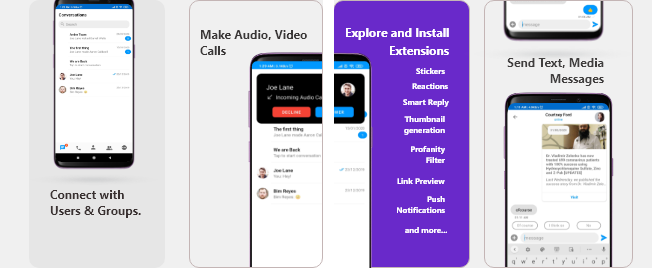
CometChat Flutter UI Kit is a collection of custom UI Components designed to build text , chat features in your application. The UI Kit is developed to keep developers in mind and aims to reduce development efforts significantly

Flutter Chat UI Kit
CometChat Flutter UI Kit is a collection of custom UI Components designed to build text , chat features in your application.
The UI Kit is developed to keep developers in mind and aims to reduce development efforts significantly



Prerequisites :star:
Before you begin, ensure you have met the following requirements:
✅ You have Android Studio or Xcode installed in your machine.
✅ You have a Android Device or Emulator with Android Version 5.0 or above.
✅ You have a IOS Device or Emulator with IOS 11.0 or above.
✅ You have read CometChat Key Concepts.
Installing CometChat Flutter UI kit
Setup :wrench:
To setup Flutter Chat UI Kit, you need to first register on CometChat Dashboard. Click here to sign up.
i. Get your Application Keys :key:
- Create a new app: Click Add App option available → Enter App Name & other information → Create App
- You will find
APP_ID,AUTH_KEYandREGIONkey at top in QuickStart section or else go to "API & Auth Keys" section and copy theAPP_ID,AUTH_KEYandREGIONkey from the "Auth Only API Key" tab.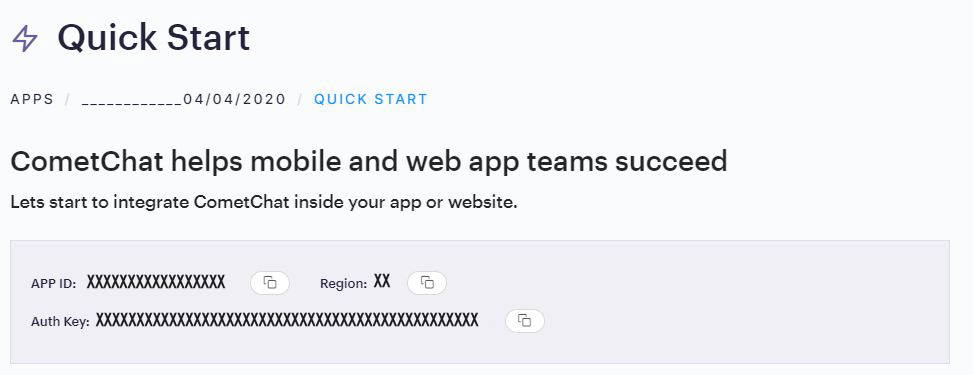
ii. Add the CometChat UI Kit Dependency
Step 1 - To use this plugin, add flutter_chat_ui_kit as a dependency in your pubspec.yaml file.
|
Step 2- add the following code to podfile inside IOS section of your app
|
Step 3- Open app/build.gradle file and change min SDk version to 33
|
Step 4- For IOS change ios deployment target to 11 or higher
Step 5- For Ios navigate to your IOS folder in terminal or CMD and do pod install . For apple chip system use rositta terminal.
Step 5- To import use
import 'package:flutter_chat_ui_kit/flutter_chat_ui_kit.dart';
Configure CometChat UI kit
i. Initialize CometChat 🌟
The init() method initializes the settings required for CometChat. We suggest calling the init() method on app startup, preferably in the init() method of the Home class.
|
:information_source: Note: Make sure to replace region, appID and authKey with your credentials. |
|---|
ii. Create User 👤
Once initialisation is successful, you will need to create a user. You need to user createUser() method to create user on the fly.
|
iii. Login User 👤
Once you have created the user successfully, you will need to log the user into CometChat using the login() method.
|
| :information_source: Note - The login() method needs to be called only once. Use this method while development |
|---|
📝 Please refer to our Developer Documentation for more information on how to configure the CometChat Pro SDK and implement various features using the same.
Troubleshooting
-
To read the full documentation on Flutter UI Kit integration visit our Documentation .
-
Facing any issues while integrating or installing the UI Kit please connect with us via real time support present in CometChat Dashboard..
Contributors
Thanks to the following people who have contributed to this project:
⚔️ @shantanukhare 🛡
⚔️ @nabhodiptagarai 🛡
:mailbox: Contact
Contact us via real time support present in CometChat Dashboard.