flutter_light_indicator 0.0.4
SDKflutter
Platformandroidioswindowslinuxmacosweb
Widgets in the form of light indicators of different shapes for your designs.
Widgets in the form of light indicators of different shapes for your designs.
Designs Available
-Round Light
-Square Light
-Total Square Light
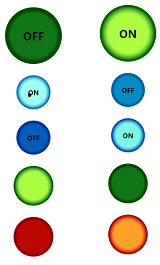
Round
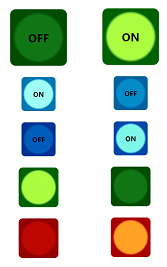
Square
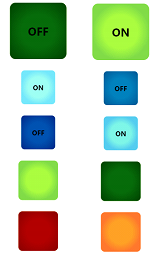
Total Square
EXAMPLE
import 'package:flutter/material.dart';
import 'package:flutter_light_indicator/flutter_light_indicator.dart';

void main() => runApp(const MyApp());

class MyApp extends StatefulWidget {
  const MyApp({super.key});

  @override
  State<MyApp> createState() => _MyAppState();
}

class _MyAppState extends State<MyApp> {

  bool state = true;

  @override
  Widget build(BuildContext context) {
    return MaterialApp(
      title: 'Material App',
      home: Scaffold(
        appBar: AppBar(
          title: const Text('Led Indicators'),
        ),
        body: Column(mainAxisAlignment: MainAxisAlignment.spaceEvenly,
          children: [
            RoundLight(size: 80, state: state, color: Colors.red),
            RoundLight(size: 80, state: !state, color: Colors.green),
            SquareLight(size: 70, state: state, color: Colors.lightBlueAccent,stateText: true),
            SquareLight(size: 70, state: !state, color: Colors.lightBlueAccent,stateText: true,),
            TotalSquareLight(size: 60, state: state, color: Colors.purple),
            TotalSquareLight(size: 60, state: !state, color: Colors.purple,stateText: true,),
          ],),
        floatingActionButton: FloatingActionButton(onPressed: ()=>setState(() {state = !state;}),
          child: const Icon(Icons.refresh),),
      ),
    );
  }
}