flutter_pin_code_fields 2.2.0
SDKflutter
Platformandroidioswindowslinuxmacosweb
A flutter package which will help you generate customizable pin code fields. Can be used for login pins or OTP.
Flutter Pin Code Fields


A Flutter package to generate customizable pin code fields.
⭐️ to show support!
Features
- Highly customizable
- Responsive
- Supports animations
- Supports autofocus
- Supports autofill
- Supports obscuring text with custom character
Usage
Add flutter_pin_code_fields as a dependency in your pubspec.yaml file.
# pubspec.yaml

dependencies:
  flutter_pin_code_fields: <latest_version>
import import 'package:flutter_pin_code_fields/flutter_pin_code_fields.dart';

class MyApp extends StatelessWidget {
  @override
  Widget build(BuildContext context) {
    return PinCodeFields(
      onComplete(text) => print(text);
    );
  }
}
Examples
Basic
Complete example at example/lib/basic.dart.

PinCodeFields(
  onComplete(text) => print(text),
)
Obscuring text
Complete example at example/lib/obscuring_text.dart.

PinCodeFields(
  length: 6,
  obscureText: true,
  obscureCharacter: "🔴",
  onComplete(text) => print(text),
)
Customized
Complete example at example/lib/customized.dart.
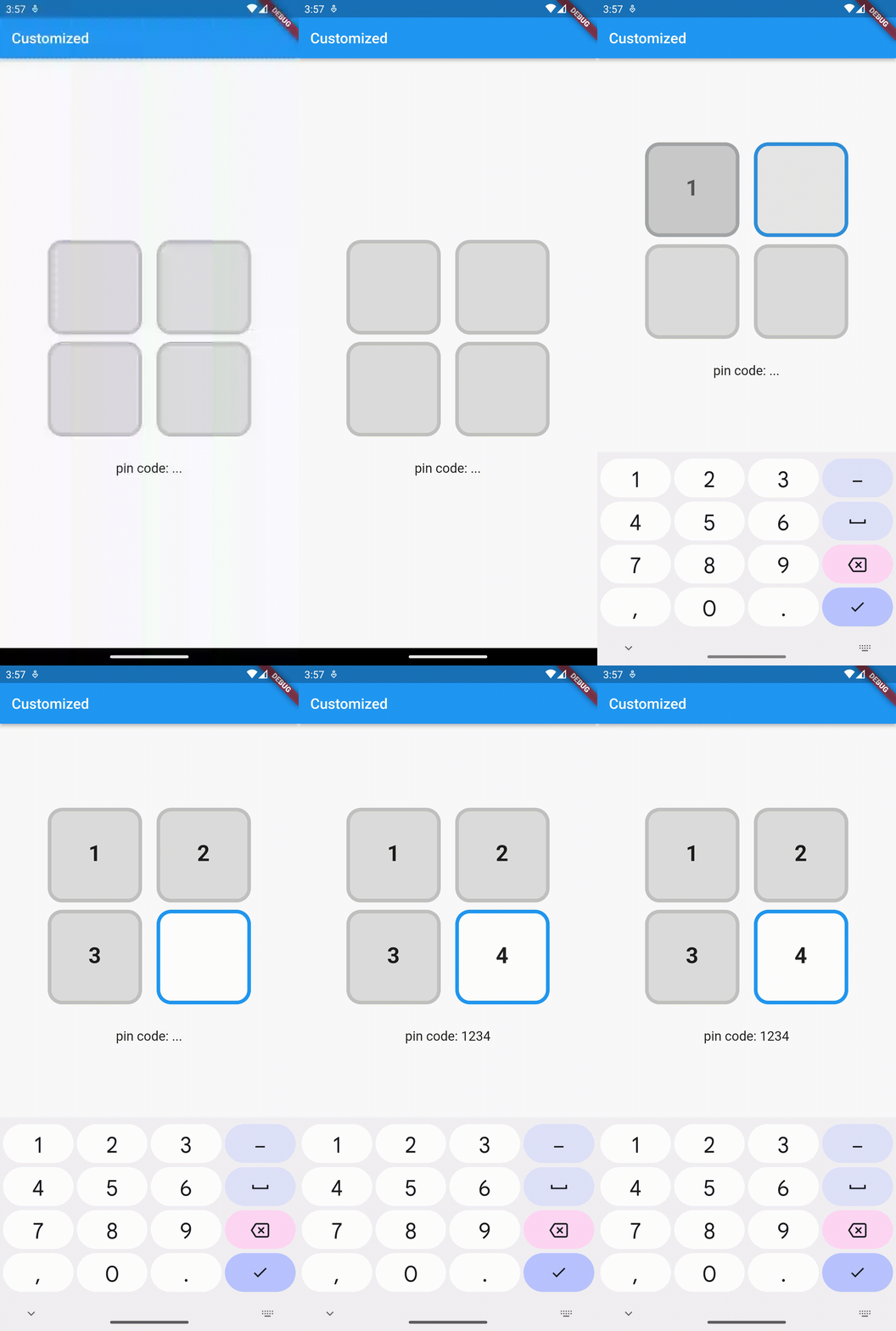
PinCodeFields(
  length: 4,
  fieldBorderStyle: FieldBorderStyle.square,
  responsive: false,
  fieldHeight: 130.0,
  fieldWidth: 130.0,
  borderWidth: 5.0,
  activeBorderColor: Colors.blue,
  activeBackgroundColor: Colors.white,
  borderRadius: BorderRadius.circular(20.0),
  keyboardType: TextInputType.number,
  inputFormatters: [FilteringTextInputFormatter.digitsOnly],
  autoHideKeyboard: false,
  fieldBackgroundColor: Colors.black12,
  borderColor: Colors.black12,
  textStyle: TextStyle(
    fontSize: 30.0,
    fontWeight: FontWeight.bold,
  ),
  onComplete(text) => print(text),
)
Animated
Complete example at example/lib/animated.dart.

PinCodeFields(
  obscureText: true,
  obscureCharacter: "❌",
  animation: Animations.rotateRight,
  animationDuration: Duration(milliseconds: 250),
  animationCurve: Curves.bounceInOut,
  switchInAnimationCurve: Curves.bounceIn,
  switchOutAnimationCurve: Curves.bounceOut,
)
Properties
| Name | Type | Default | Description |
|---|---|---|---|
| length | int | 4 | Total number of pin code fields. |
| margin | EdgeInsets | EdgeInsets.all(5.0) | Margin between the fields. |
| padding | EdgeInsets | EdgeInsets.only(bottom: 5.0) | Padding within the field. |
| fieldHeight | double | Height of the field. | |
| fieldWidth | double | Width of the field. | |
| borderWidth | double | 2.0 | Width of the border of the field. |
| borderRadius | BorderRadius | Border raduis of the field. | |
| borderColor | Color | Colors.grey | Border color of the field. |
| activeBorderColor | Color | Colors.blue | Border color of the active field. |
| fieldBorderStyle | FieldBorderStyle | FieldBorderStyle.bottom | Border styles of the field. |
| fieldBackgroundColor | Color | Colors.transparent | Background color of the fields. |
| activeBackgroundColor | Color | Colors.transparent | Background color of the active field. |
| enabled | bool | true | Enable/ disable editing the fields. |
| responsive | bool | true | Adjust the size of the fields automatically to the available space. |
| autofocus | bool | false | Enable/ disabled autofocus. |
| textStyle | TextStyle | Text style for the fields. | |
| obscureText | bool | false | Enable/ disable obscuring the text in the fields. |
| obscureCharacter | String | * | Character to obscure the text in the fields. |
| keyboardType | TextInputType | TextInputType.visiblePassword | Keyboard type. |
| inputFormatters | List<TextInputFormatter> | Input formatters for the fields. | |
| autoHideKeyboard | bool | true | Hides the keyboard automatically on complete. |
| animation | Animations | Animations.fade | Animation for the fields. |
| animationDuration | Duration | Duration(milliseconds: 150) | Duration of the animation. |
| animationCurve | Curve | Curves.easeInOut | Animation curve. |
| switchInAnimationCurve | Curve | Curves.easeIn | Switch in animation curve. |
| switchOutAnimationCurve | Curve | Curves.easeOut | Switch out animation curve. |
| controller | TextEditingController | Text editing controller for the fields. | |
| focusNode | FocusNode | Focus node for the fields. | |
| onChange | ValueChanged<String> | Callback that returns text on input. | |
onComplete [required] | ValueChanged<String> | Callback that returns text on filling all the fields. |