flutter_scalable_ocr 2.2.1
Flutter scalable OCR package is a wrapper around google_mlkit_text_recognition where you can partialy select part of camera which text will be processed of.
Flutter Scalable OCR
v1.0.1
Flutter scalable OCR package is a wrapper around Google ML kit Text Recognition. It tackles the issue of fetching data just from part od a camera and also narowing down the camera viewport which was common problem. To see how it work in real case scenario you can check the app where it was used Exchange Rate Scanner and here are some gifs from example project.


Requirements
Since thus package uses ML Kit check requirements before running the package in project.
Features
Scan text from narow window of camera and not whole screen. There are two function getScannedText to fetch readed text as a string, or getRawData which returns list of TextElement consult ML Kit Text Recognition objects as from followin structure from google developer site image. Pinch and zoom should also work:
Note: Wrapper uses Camera package so you need to add perimission as in documentation.
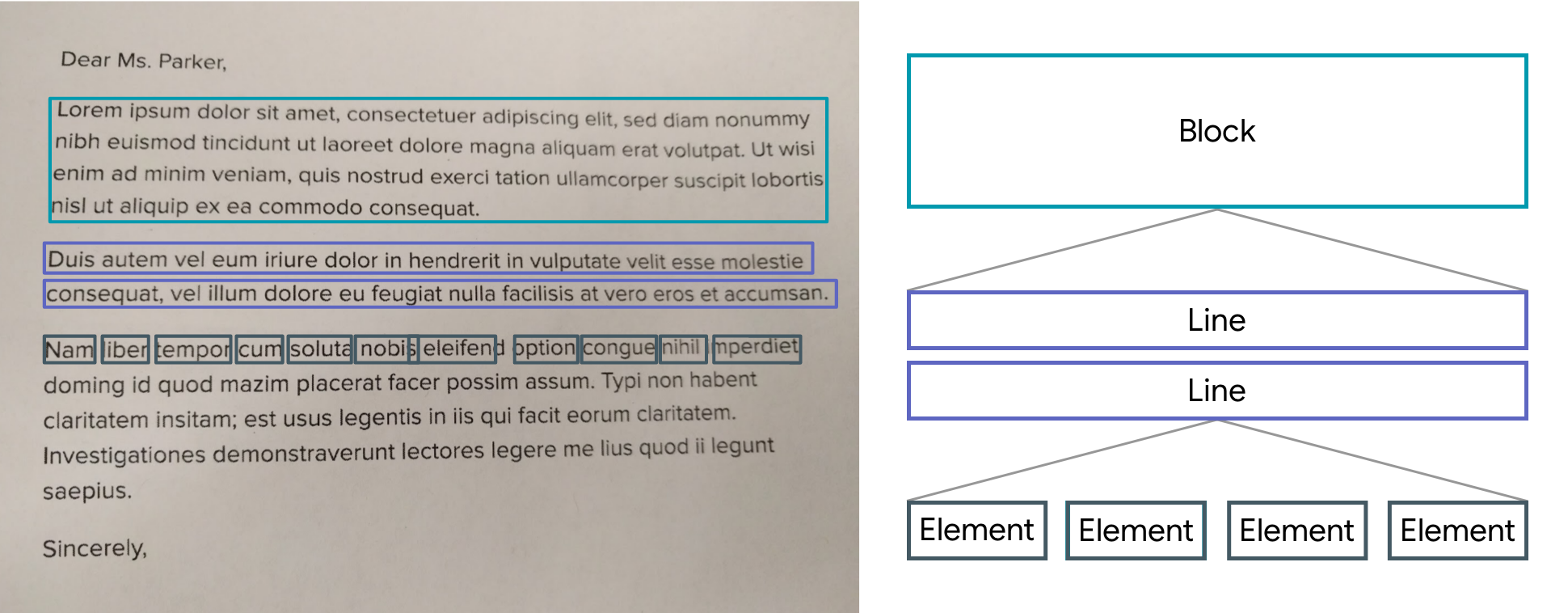
Usage
Add the package to pubspec.yaml
dependencies:
  flutter_scalable_ocr: x.x.x
Import it
import 'package:flutter_scalable_ocr/flutter_scalable_ocr.dart';
Full examples for all three options are in /example folder so please take a look for working version.
Parameters:
| Parameter | Description | Default |
|---|---|---|
boxLeftOff | Scalable center square left | 4 |
boxBottomOff | Scalable center square bottom | 2.7 |
boxRightOff | Scalable center square right | 4 |
boxTopOff | Scalable center square top | 2.7 |
paintboxCustom | Narrowed square in camera window | from example |
boxHeight | Camera Window height | from example |
getScannedText | Callback function that returns string | |
getRawData | Callback function that returns list of TextElement |
Use widget:
ScalableOCR(
    paintboxCustom: Paint()
        ..style = PaintingStyle.stroke
        ..strokeWidth = 4.0
        ..color = const Color.fromARGB(153, 102, 160, 241),
    boxLeftOff: 4,
    boxBottomOff: 2.7,
    boxRightOff: 4,
    boxTopOff: 2.7,
    boxHeight: MediaQuery.of(context).size.height / 5,
    getRawData: (value) {
        inspect(value);
    },
    getScannedText: (value) {
        setText(value);
    }),