liquid_ball 1.0.3
SDKflutter
Platformandroidioswindowslinuxmacosweb
An animated waterdrop ball component that can use gradients, margins, and animation controllers.
Liquid Ball
A flutter package that creates animated liquid ball effect with customizable wave animation.
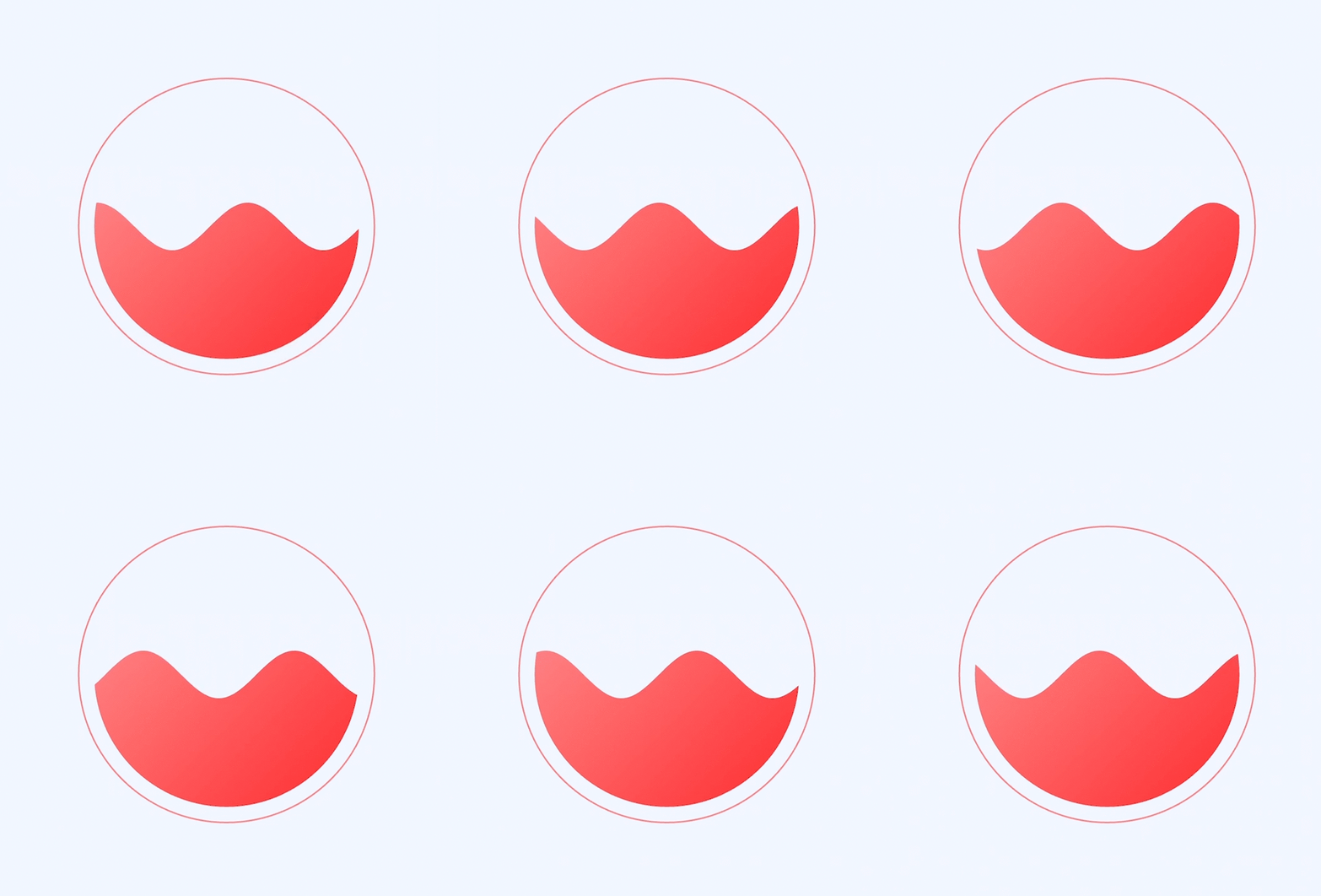
Features
- Smooth wave animation with customizable duration
- Configurable container size and padding
- Customizable border styling for the container
- Flexible color options: use gradient or solid color for the wave effect
- Circle-shaped container with automatic clipping
Getting started
Add the following to your pubspec.yaml file:
dependencies:
  liquid_ball: ^1.0.3
Import the package.
import 'package:liquid_ball/liquid_ball.dart';
Usage
Basic Usage
Wrap the LiquidBallWidget in your widget tree with required parameters:
LiquidBallWidget(
  waveColor: Colors.blue,
  containerSize: 150,
)
Advanced Usage with Gradient
LiquidBallWidget(
  percentage: 0.9,
  waveGradient: LinearGradient(
    colors: [Colors.red, Colors.orange],
    begin: Alignment.topLeft,
    end: Alignment.bottomRight,
  ),
  containerSize: 200,
  containerPadding: 15,
  containerBorder: Border.all(
    color: Colors.purple,
    width: 2,
  ),
  animationDuration: Duration(seconds: 3),
)
Parameters
| Parameter | Description | Default Value |
|---|---|---|
percentage | Liquid fill level (0.0 = empty, 1.0 = full) | 0.5 |
waveGradient | Gradient for wave effect (mutually exclusive with waveColor) | null |
waveColor | Solid color for wave effect (mutually exclusive with waveGradient) | null |
animationDuration | Duration for complete wave animation cycle | 2 seconds |
containerSize | Diameter of the circular container | 100.0 |
containerPadding | Padding between container border and wave | 10.0 |
containerBorder | Border styling for the container | Red 1px solid border |
Important Notes
- You must provide either
waveGradientorwaveColor, but not both - The container will always maintain a perfect circle shape
- Wave animation automatically loops indefinitely
- The wave effect is automatically clipped to the container's bounds
Example App
import 'package:flutter/material.dart';
import 'package:liquid_ball/liquid_ball.dart';

void main() => runApp(const MyApp());

class MyApp extends StatelessWidget {
  const MyApp({super.key});

  @override
  Widget build(BuildContext context) {
    return MaterialApp(
      home: Scaffold(
        body: Center(
          child: LiquidBallWidget(
            percentage: 0.9,
            waveGradient: LinearGradient(
              colors: [
                Color(0xFFFF9797),
                Color(0xFFFF2C2C),
              ],
              begin: Alignment.topLeft,
              end: Alignment.bottomRight,
            ),
            containerPadding: 10,
            containerBorder: Border.all(
              color: Colors.green,
              width: 2
            ),
            containerSize: 200,
            animationDuration: Duration(seconds: 3),
          ),
        ),
      ),
    );
  }
}
Customization Tips
- Combine gradient colors with matching border colors for best visual effect
- Use longer animation durations for smoother, slower waves
- Adjust padding to create different wave containment effects
- Pair with transparent borders for modern minimalist designs
- Use subtle gradients for realistic liquid simulation