liquid_pull_refresh 1.0.6
A beautiful and custom refresh indicator or image loader, icon, with some cool animations and transitions for flutter.
Liquid Pull Refresh
A beautiful and custom refresh indicator with image in loader or widget.


Installing
1. Depend on it
Add this to your package's pubspec.yaml file:
dependencies:
  liquid_pull_refresh: <latest-version>
2. Install it
You can install packages from the command line:
with pub:
$ pub get
with Flutter:
$ flutter packages get
3. Import it
Now in your Dart code, you can use:
import 'package:liquid_pull_refresh/liquid_pull_refresh.dart';
Usage
For adding this custom refresh indicator in your flutter app, you have to simply wrap ListView or GridView inside LiquidPullRefresh. Also you have provide the value of onRefresh parameter which is a refresh callback.
Note - LiquidPullRefresh can only be used with a vertical scroll view.
For example:
LiquidPullRefresh(
        backgroundColor: widget.loaderColor,
        // animSpeedFactor: 2.0,
        color: widget.backgroundColor,
        heightLoader: 150,
        // showDroplet: true,
        loaderWidget: widget.loaderWidget,
        springAnimationDurationInMilliseconds: 400,
        showChildOpacityTransition: false,
        key: widget.refreshIndicatorLiquidKey, // key if you want to add
        onRefresh: widget.onRefresh, // refresh callback
        child: widget.childAdapter, // scroll view
      );
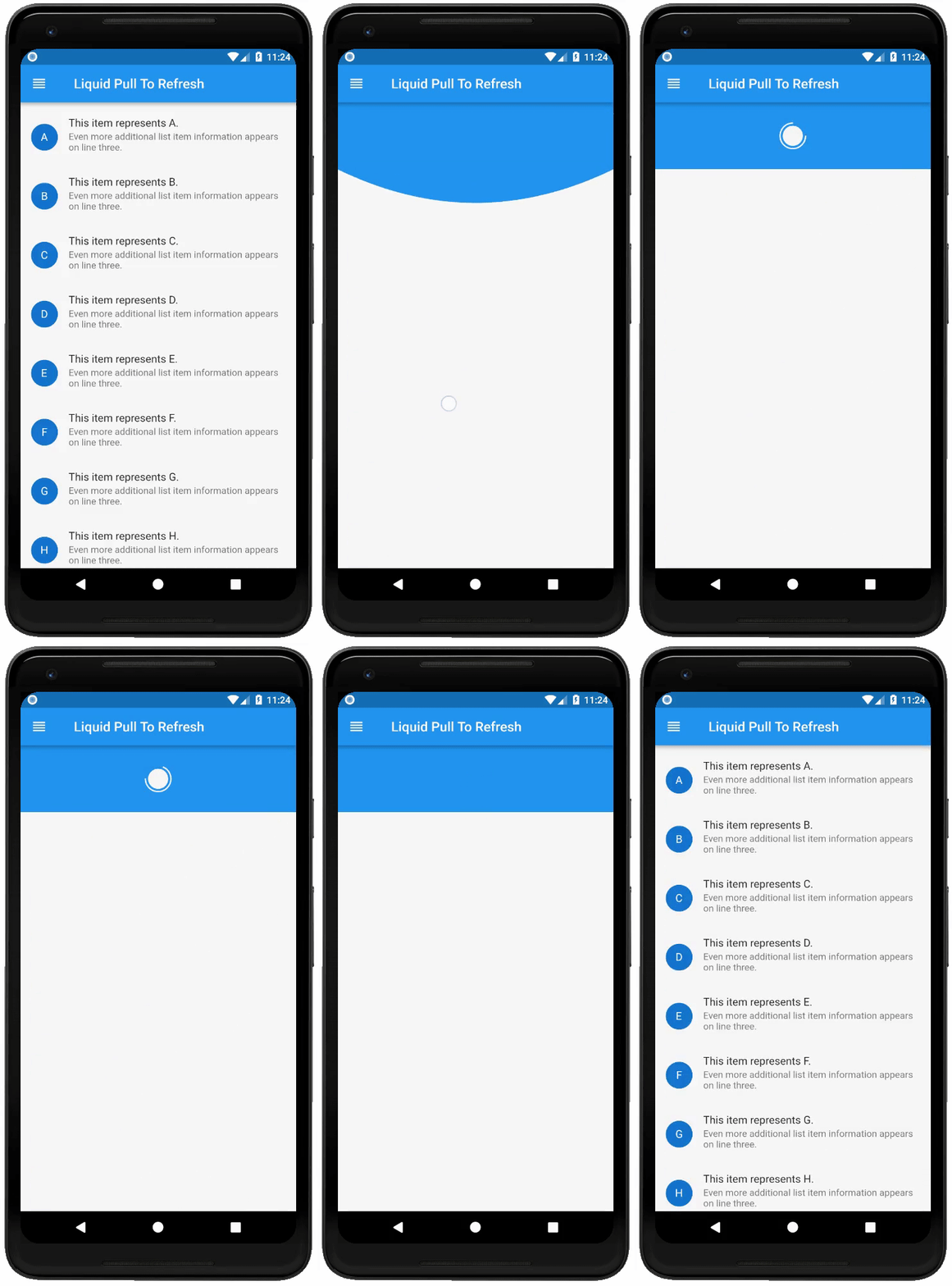
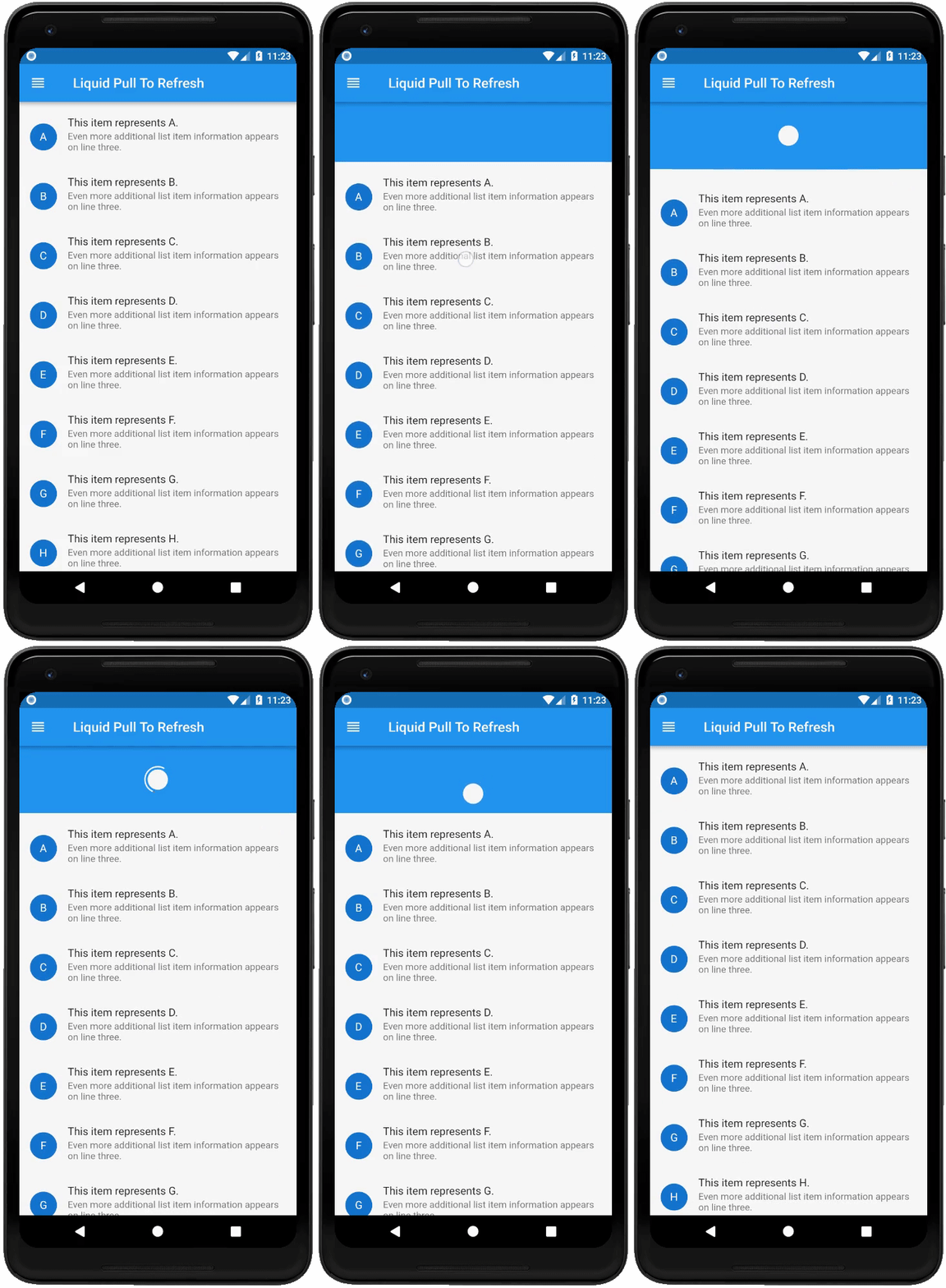
If you do not want the opacity transition of child then set showChildOpacityTransition: false. Preview regarding the both form of this widget is follows :-
showChildOpacityTransition: true | showChildOpacityTransition: false |
|---|---|
 |  |
Documentation
LiquidPullToRefresh Class
| Dart attribute | Datatype | Description | Default Value |
|---|---|---|---|
| child | ScrollView | The widget below this widget in the tree. | @required |
| onRefresh | RefreshCallback | A function that's called when the refreshing of page takes place. | @required |
| height | double | The distance from the child's top or bottom edge to where the box will settle after the spring effect. | 100.0 |
| springAnimationDurationInMilliseconds | int | Duration in milliseconds of springy effect that occurs when we leave dragging after full drag. | 1000 |
| borderWidth | double | Border width of progressing circle in Progressing Indicator. | 2.0 |
| showChildOpacityTransition | bool | Whether to show child opacity transition or not. | true |
| color | Color | The progress indicator's foreground color. | ColorScheme.secondary |
| backgroundColor | Color | The progress indicator's background color. | ThemeData.canvasColor |
| animSpeedFactor | double | Controls the speed of the animation after refresh. Used to fasten the ending animation. | 1.0 |
| heightLoader | double | Height loader. | 100.0 |
| showDroplet | bool | Show drop like water, default true | true |
| loaderWidget | Widget | Show add widget inside loader for image or other widget. | Container() |
| bottomShadow | bool | Show shadow in bottom liquid. | false |
| bottomShadowColor | Color | Change color for shadow bottom when true. | grey.withOpacity(0.2) |
For help on editing package code, view the flutter documentation.
License
Liquid-Pull-To-Refresh is licensed under MIT license. View license.