loadmore_listview 1.0.7
SDKflutter
Platformandroidioswindowslinuxmacos
Provide an easy-to-use Listview with load more items and refresh function
Load More Listview
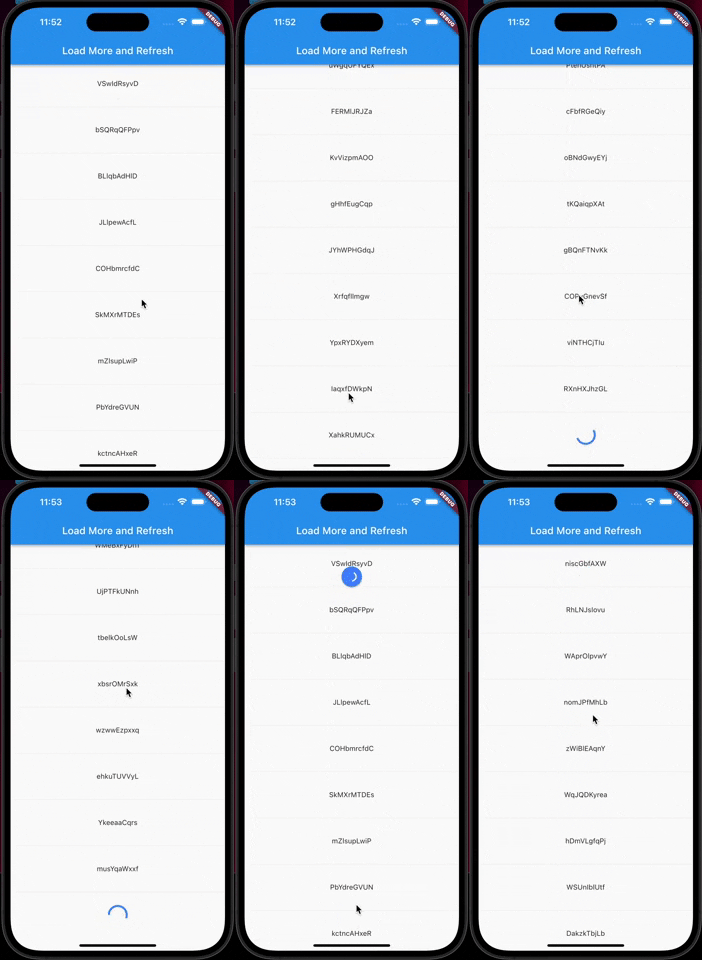
An Listview with the Load more item and refresh
Getting Started
In the pubspec.yaml of your flutter project, add the following dependency:
dependencies:
  ...
  loadmore_listview: ^1.0.7
Import it:
import 'package:loadmore_listview/loadmore_listview.dart';
Usage Examples
LoadMoreListView.builder
LoadMoreListView.builder(
    //is there more data to load
    haveMoreItem: true,
    //Trigger the bottom loadMore callback
    onLoadMore: () async{
      //wait for your api to fetch more items
      await Future.delayed(const Duration(seconds: 1));
    },
    //pull down refresh callback
    onRefresh: () async{
      //wait for your api to update the list
      await Future.delayed(const Duration(seconds: 1));
    },
    //you can set your loadMore Animation
    loadMoreWidget: Container(
        margin: const EdgeInsets.all(20.0),
        alignment: Alignment.center,
        child: const CircularProgressIndicator(
          valueColor: AlwaysStoppedAnimation(Colors.blueAccent),
        ),
    ),
    //ListView
    itemCount: 20,
    itemBuilder: (context, index) {
        return Container(
            margin: const EdgeInsets.all(30),
            width: double.infinity,
            alignment: Alignment.center,
            child: Text('$index'),
        );
    },
);
LoadMoreListView.separated
LoadMoreListView.separated(
    //...
    separatorBuilder: (context, index) {
      return const Divider();
    },
);
LoadMoreListView.customScrollView
LoadMoreListView.customScrollView(
    //...
    slivers: [
        SliverList(
            delegate: SliverChildBuilderDelegate(
              (context, index) {
                return Container(
                  margin: const EdgeInsets.all(30),
                  width: double.infinity,
                  alignment: Alignment.center,
                  child: Text(list[index]),
                );
              },
              childCount: list.length,
            ),
        ),
    ],
);