longswipe 1.0.8
A Flutter package for integrating the Longswipe Widget into your application. Provides both a widget-based approach and a controller-based approach for maximum flexibility.
Longswipe Flutter SDK
A Flutter SDK for integrating the Longswipe Widget into your application. Provides both a widget-based approach and a controller-based approach for maximum flexibility.
Installation
dependencies:
  longswipe: ^1.0.8
Integration Options
This SDK provides two ways to integrate the Longswipe Widget:
- LongswipeWidget: A ready-to-use widget with built-in UI
- LongswipeController: A flexible controller for custom UI implementations
LongswipeWidget
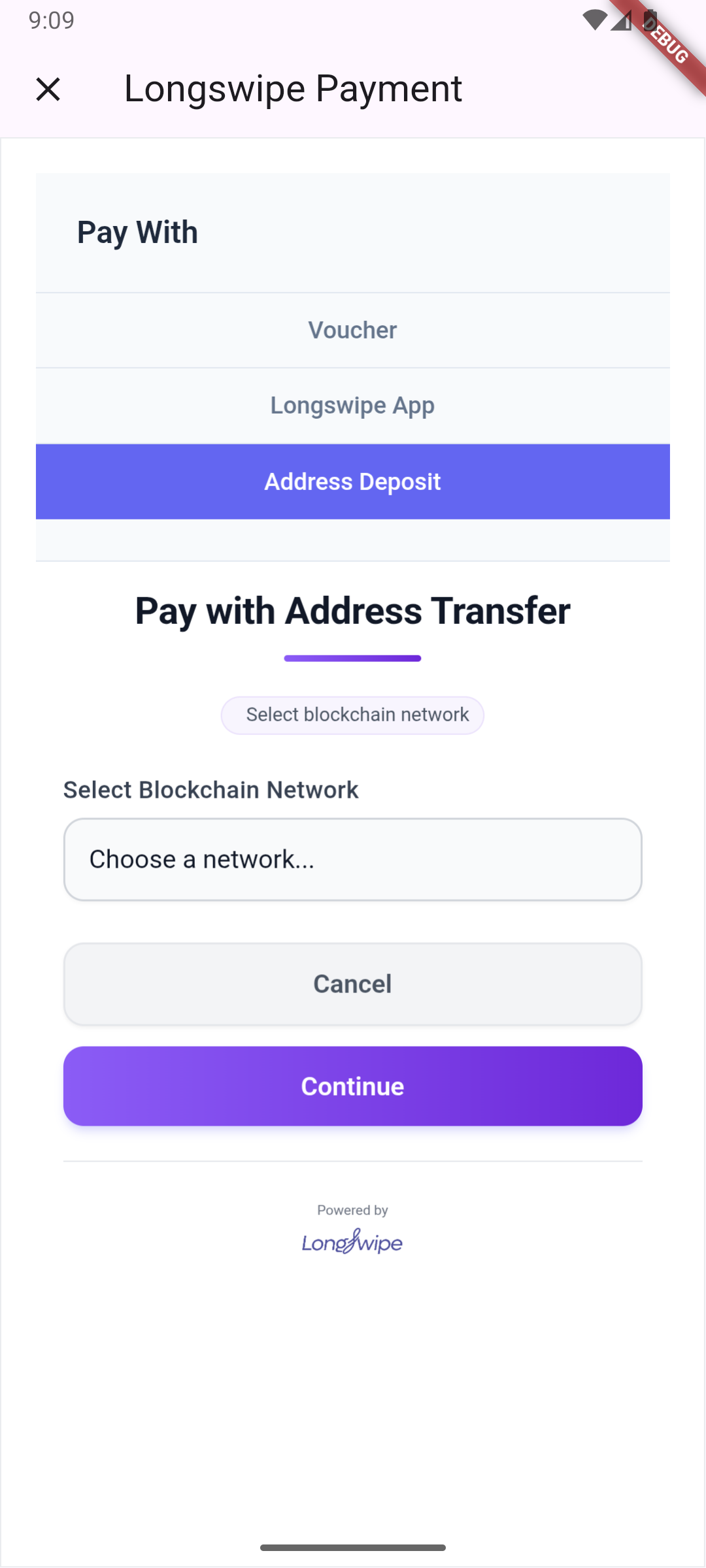
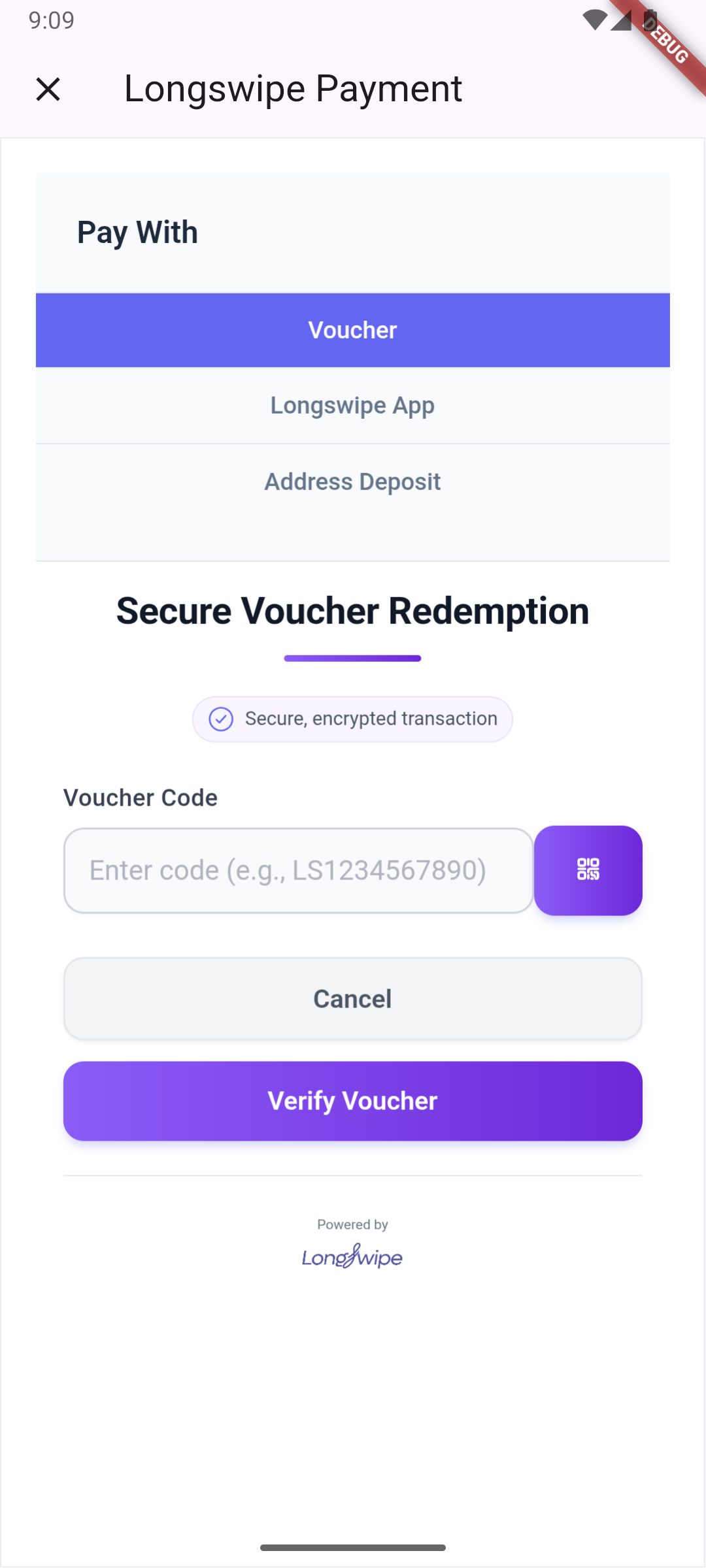
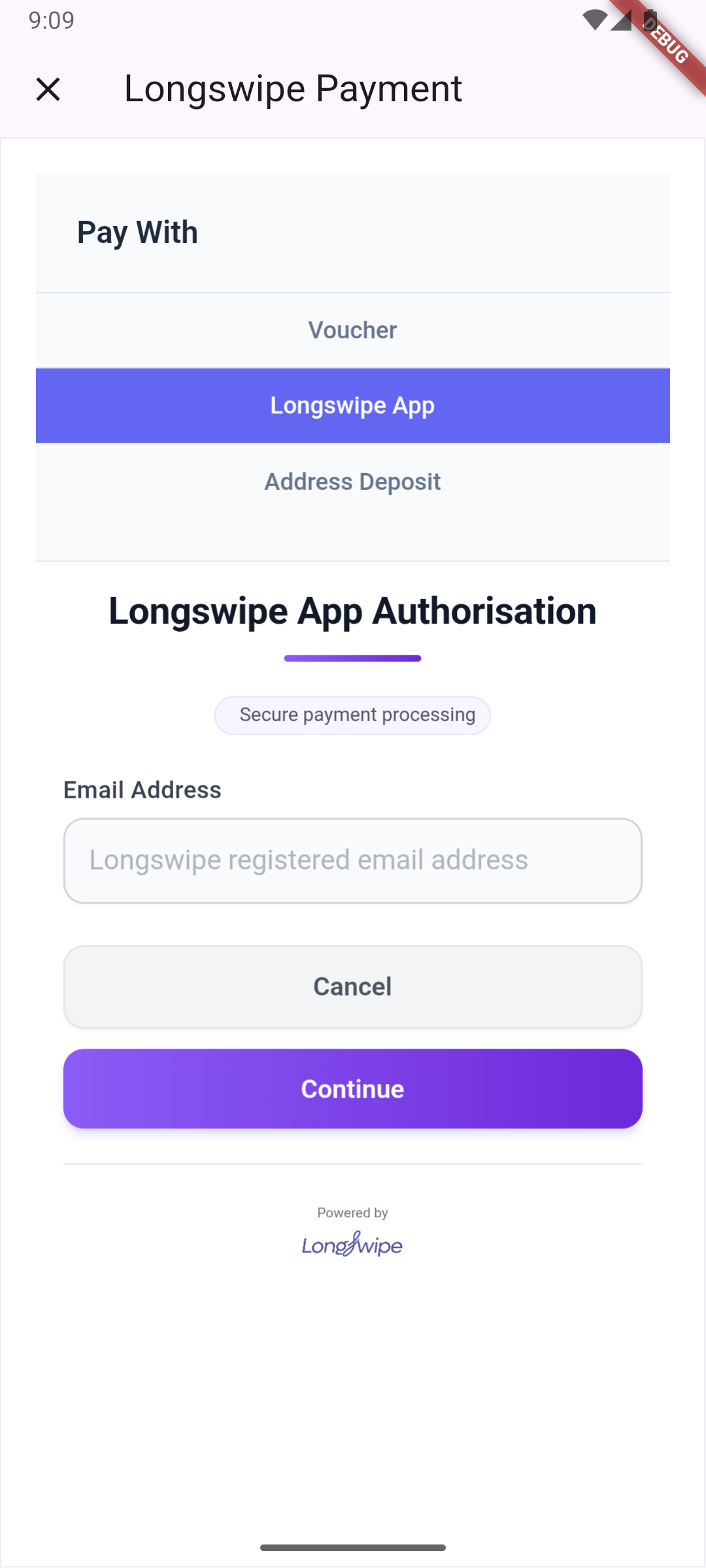
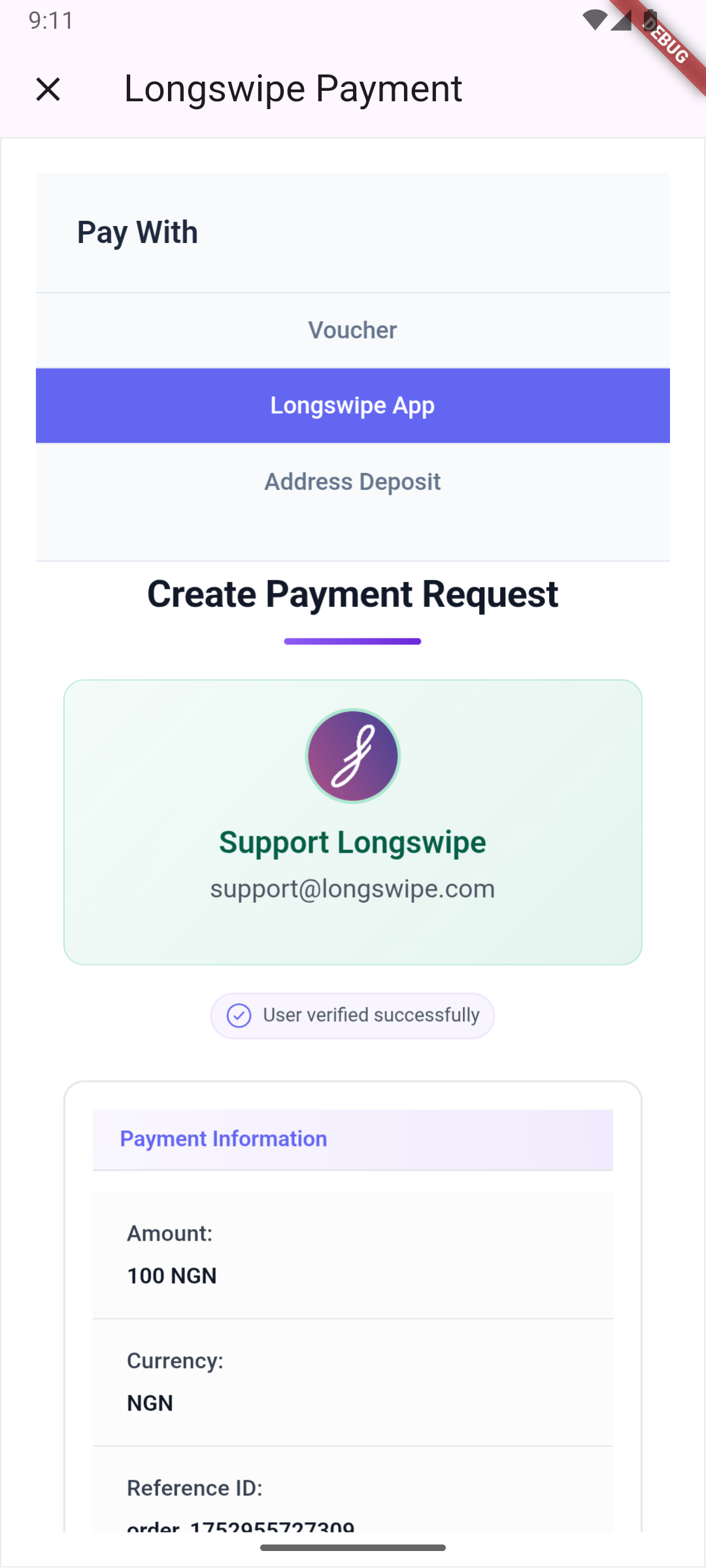
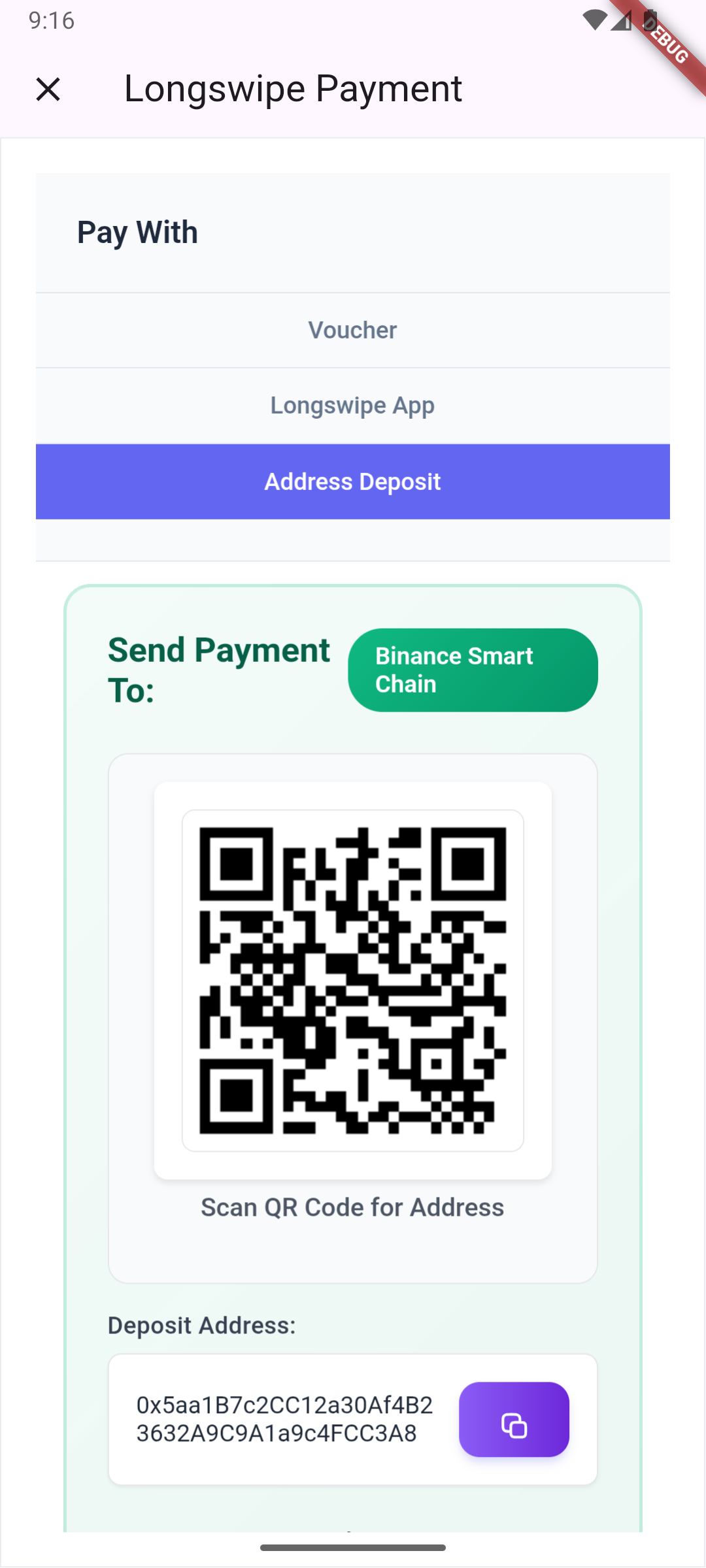
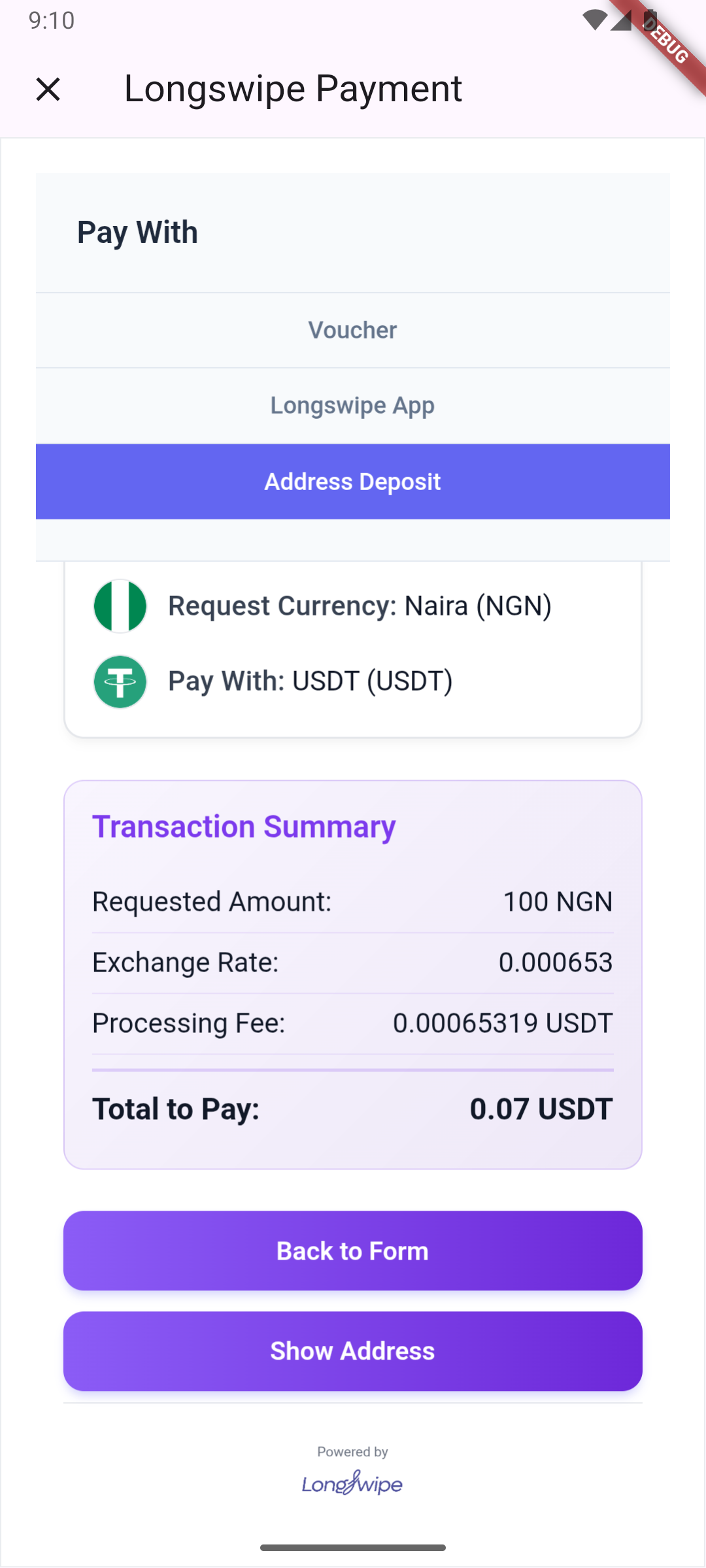
A lightweight widget that loads the Longswipe Widget script and provides a simple interface with built-in UI for integrating the widget into your application. Users can pay with
- Vouchers
- Authorise directly using their Longswipe App
- Pay with a Wallet address
Image samples
import 'package:flutter/material.dart';
import 'package:longswipe/longswipe.dart';

class PaymentScreen extends StatelessWidget {
  @override
  Widget build(BuildContext context) {
    return Scaffold(
      appBar: AppBar(title: Text('Payment')),
      body: Center(
        child: LongswipeWidget(
          apiKey: 'your_api_key_here',
          referenceId: 'unique-transaction-id',
           environment: Environment.sandbox,
          onResponse: (type, data) {
            switch (type) {
              case ResType.success:
                print('Success: $data');
                break;
              case ResType.error:
                print('Error: $data');
                break;
              case ResType.close:
                print('Widget closed');
                break;
              case ResType.start:
                print('Widget started');
                break;
              case ResType.loading:
                print('Widget loading');
                break;
            }
          },
          defaultCurrency: Currency.USDT,
          defaultAmount: 100,
          buttonText: 'Pay with Longswipe',
        ),
      ),
    );
  }
}
Properties
| Property | Type | Required | Description |
|---|---|---|---|
| apiKey | String | Yes | Your Longswipe API key |
| environment | Environment | Yes | Production or sandbox (Environment.sandbox Or Environment.production) |
| referenceId | String | Yes | Unique identifier for the transaction |
| onResponse | Function(ResType, dynamic) | Yes | Callback function for widget events |
| defaultCurrency | Currency | No | Default currency for redemption |
| defaultAmount | double | No | Default amount for redemption |
| config | Map<String, dynamic> | No | Additional configuration options |
| metaData | Map<String, dynamic> | No | Metadata to pass to the widget |
| child | Widget | No | Optional child widget as the trigger |
| buttonText | String | No | Optional custom text for the default button |
| buttonStyle | ButtonStyle | No | Optional custom style for the default button |
Response Types
The onResponse callback receives a type parameter that can be one of the following:
| Type | Description |
|---|---|
| success | Widget operation completed successfully |
| error | An error occurred during widget operation |
| close | Widget was closed by the user |
| start | Widget has started and is ready |
| loading | Widget is loading |
LongswipeController
A flexible controller that provides more control over the Longswipe Widget integration, allowing you to create custom UI components.
import 'package:flutter/material.dart';
import 'package:longswipe/longswipe.dart';

class CustomPaymentScreen extends StatefulWidget {
  @override
  _CustomPaymentScreenState createState() => _CustomPaymentScreenState();
}

class _CustomPaymentScreenState extends State<CustomPaymentScreen> {
  late LongswipeController _controller;
  String _status = '';
  dynamic _result;

  @override
  void initState() {
    super.initState();
    _controller = LongswipeController(
      options: LongswipeControllerOptions(
        apiKey: 'your_api_key_here',
        environment: Environment.sandbox,
        referenceId: 'unique-transaction-id',
        defaultCurrency: Currency.USDT,
        defaultAmount: 100,
        metaData: {'source': 'flutter-app'},
        onResponse: _handleResponse,
      ),
    );
  }

  void _handleResponse(ResType type, dynamic data) {
    setState(() {
      _status = type.toValue();
      if (data != null) {
        _result = data;
      }
    });
  }

  @override
  Widget build(BuildContext context) {
    return Scaffold(
      appBar: AppBar(title: Text('Custom Payment')),
      body: Center(
        child: Column(
          mainAxisAlignment: MainAxisAlignment.center,
          children: [
            Text('Status: $_status'),
            SizedBox(height: 20),
            if (_result != null) ...[
              Text('Result:'),
              Text(_result.toString()),
              SizedBox(height: 20),
            ],
            ElevatedButton(
              onPressed: () => _controller.openModal(context),
              child: Text('Open Payment Modal'),
            ),
          ],
        ),
      ),
    );
  }
}
Controller Options
The LongswipeController constructor accepts a LongswipeControllerOptions object with the following properties:
| Property | Type | Required | Description |
|---|---|---|---|
| apiKey | String | Yes | Your Longswipe API key |
| environment | Environment | Yes | Production or sandbox (Environment.sandbox Or Environment.production) |
| referenceId | String | Yes | Unique identifier for the transaction |
| onResponse | Function(ResType, dynamic) | Yes | Callback function for widget events |
| defaultCurrency | Currency | No | Default currency for redemption |
| defaultAmount | double | No | Default amount for redemption |
| config | Map<String, dynamic> | No | Additional configuration options |
| metaData | Map<String, dynamic> | No | Metadata to pass to the widget |
Controller Methods and Properties
| Name | Type | Description |
|---|---|---|
| openModal | Future | Function to open the Longswipe payment modal |
| isLoaded | bool | Whether the Longswipe script has loaded successfully |
| isLoading | bool | Whether the Longswipe script is currently loading |
Required Permissions
This package requires camera permissions for QR code scanning. You need to add the following to your app:
Android
Add the following permissions to your android/app/src/main/AndroidManifest.xml file:
<uses-permission android:name="android.permission.INTERNET"/>
<uses-permission android:name="android.permission.CAMERA" />
iOS
Add the following to your ios/Runner/Info.plist file:
<key>NSCameraUsageDescription</key>
<string>This app needs camera access to scan QR codes for payment processing</string>
Request Permissions in Your App
It's recommended to request camera permissions at app startup:
import 'package:longswipe/longswipe.dart';

void main() async {
  WidgetsFlutterBinding.ensureInitialized();

  // Request camera permission at app startup
  await Permission.camera.request();

  runApp(MyApp());
}
External App Integration
The Longswipe SDK includes functionality to launch external applications (such as the Longswipe mobile app) when handling deep links. This requires additional platform-specific configuration.
Android Configuration
To enable the SDK to query and launch external apps on Android, you need to add the following to your android/app/src/main/AndroidManifest.xml file:
- Add queries section (above the
<application>tag):
<queries>
    <!-- Add the Longswipe app package for external app launcher -->
    <package android:name="com.telktia.longswipe" />
    <!-- Other existing queries... -->
    <intent>
        <action android:name="android.intent.action.PROCESS_TEXT"/>
        <data android:mimeType="text/plain"/>
    </intent>
</queries>
Note: Replace com.longswipe.app with the actual package name of the Longswipe mobile app when it becomes available.
iOS Configuration
To enable the SDK to query and launch external apps on iOS, you need to add the following to your ios/Runner/Info.plist file:
- Add URL scheme queries (inside the
<dict>tag):
<key>LSApplicationQueriesSchemes</key>
<array>
    <string>longswipe</string>
</array>
Why These Configurations Are Needed
- Android: Starting from Android 11 (API level 30), apps need to explicitly declare which packages they intend to query or interact with for security reasons.
- iOS: Apps must declare URL schemes they want to query in the
LSApplicationQueriesSchemesto check if other apps are installed.
These configurations allow the Longswipe SDK to:
- Check if the Longswipe mobile app is installed on the device
- Launch the Longswipe app when handling deep links
- Redirect users to the appropriate app store if the app is not installed
Implementation Details
This package uses:
- webview_flutter: For embedding a WebView with JavaScript integration
- permission_handler: For handling camera permissions
- external_app_launcher: For launching external applications and deep link handling
The implementation loads the Longswipe JavaScript widget in a WebView and communicates with it using JavaScript channels. When the user opens the payment modal, a new screen is presented with the WebView that handles the payment process.
The SDK also includes deep link handling functionality that can launch external applications (such as the official Longswipe mobile app) when appropriate deep links are intercepted.
Development
- Clone the repository
- Install dependencies:
flutter pub get - Run the example app:
cd example
flutter run
License
MIT