map_location_picker_flutter 1.0.0
A versatile Flutter package that provides an elegant location selection interface using OpenStreetMap, featuring automatic address detection and reverse geocoding capabilities.
Map Location Picker Flutter




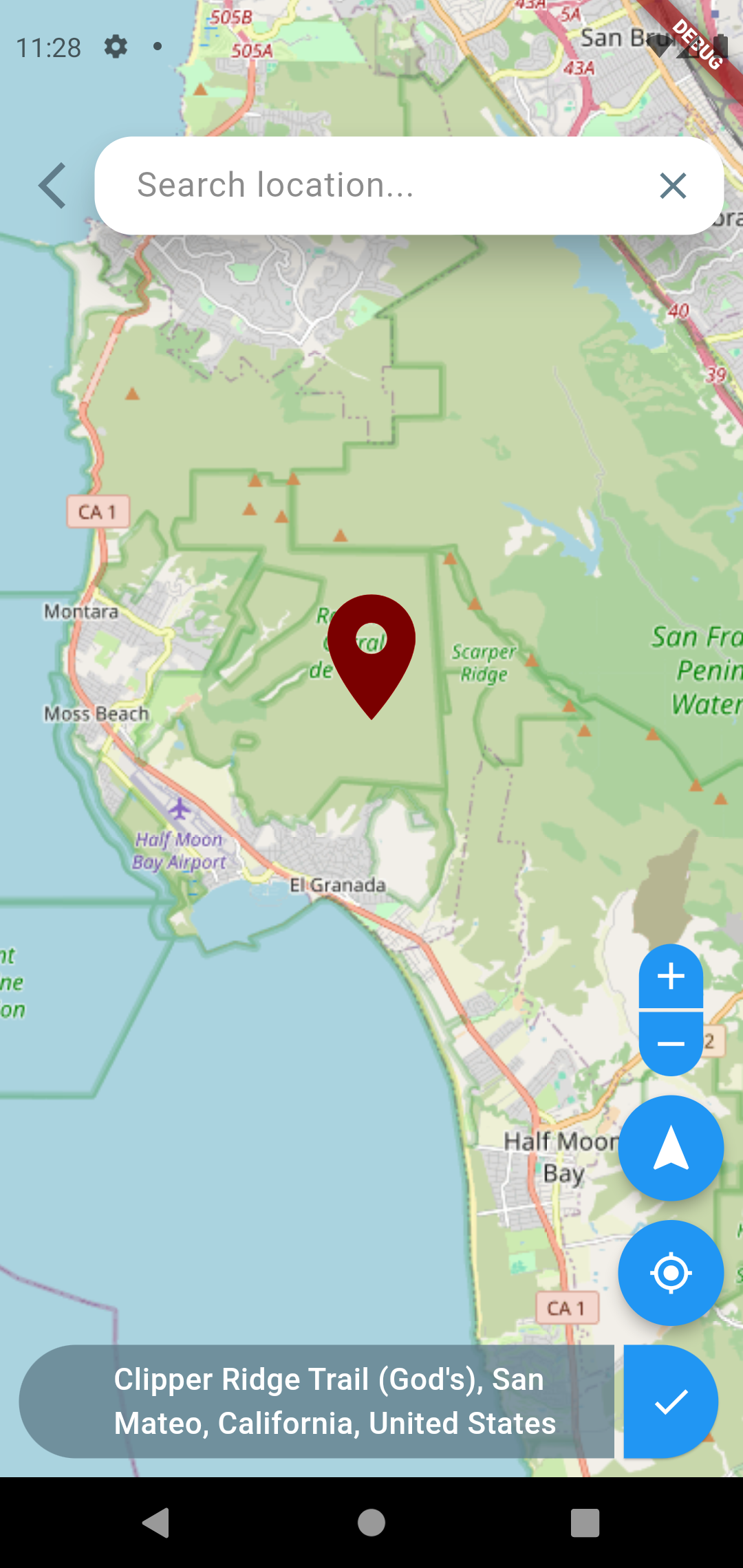
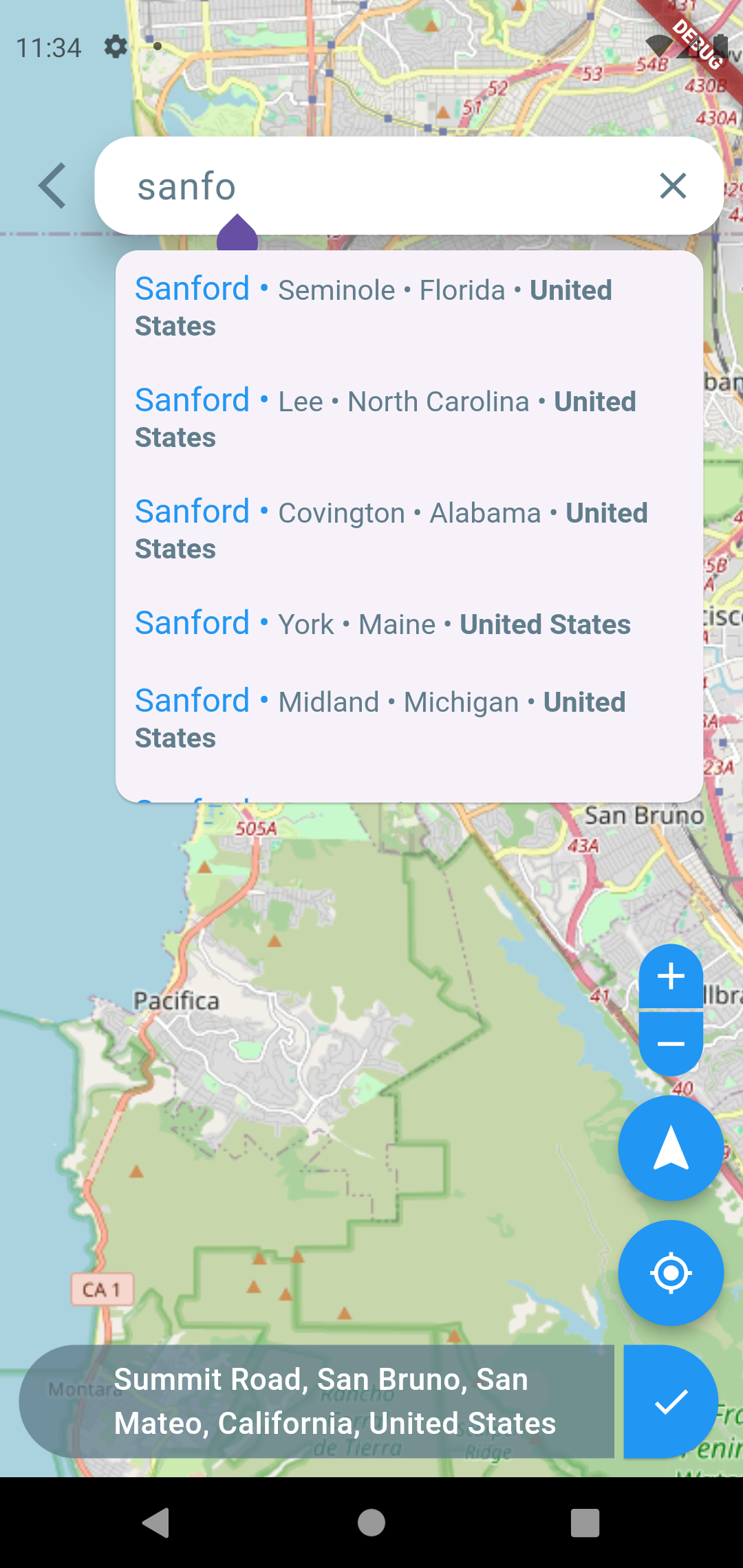
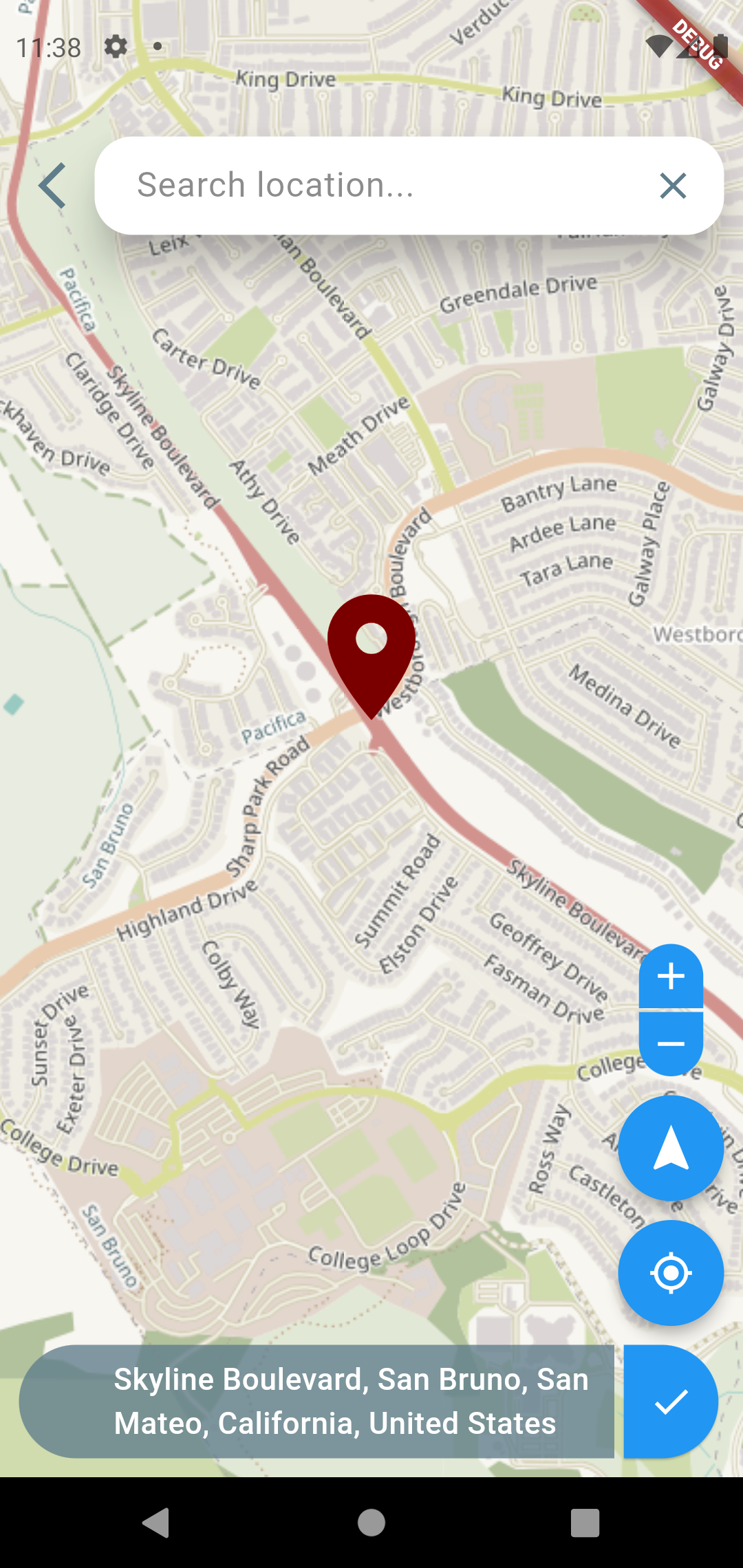
A highly customizable Flutter package for picking locations on a map. Features OpenStreetMap integration, reverse geocoding, search functionality, and a beautiful UI with smooth animations.
Features 🚀
- 🗺️ Interactive OpenStreetMap integration
- 🔍 Location search with autocomplete
- 📍 Current location detection
- 🔄 Reverse geocoding
- ⚡ Smooth animations and transitions
- 🎨 Highly customizable UI
- 📱 Responsive design
- 🎯 Precise location picking
- 🔒 Privacy-focused (uses OpenStreetMap)
Getting Started 🏁
1. Add Dependency
Add this to your package's pubspec.yaml file:
dependencies:
  map_location_picker_flutter: ^latest_version
2. Platform Configuration
Android Configuration 🤖
- Add the following permissions to your Android Manifest (
android/app/src/main/AndroidManifest.xml):
<manifest ...><!-- Internet permission -->
<uses-permission android:name="android.permission.INTERNET" /><!-- Location permissions -->
<uses-permission android:name="android.permission.ACCESS_FINE_LOCATION" /><uses-permission android:name="android.permission.ACCESS_COARSE_LOCATION" /></manifest>
iOS Configuration 🍎
- Add the following keys to your
ios/Runner/Info.plist:
<dict>
    <!-- Location permission prompt -->
    <key>NSLocationWhenInUseUsageDescription</key>
    <string>This app needs access to location when open to show your current location on the map.</string>
    <key>NSLocationAlwaysUsageDescription</key>
    <string>This app needs access to location when in the background to show your current location on the map.</string>

    <!-- Maps/Network usage -->
    <key>NSLocationAlwaysAndWhenInUseUsageDescription</key>
    <string>This app needs access to location to show your current location on the map.</string>
    <key>NSLocationUsageDescription</key>
    <string>This app needs access to location to show your current location on the map.</string>
</dict>
3. Basic Usage 📱
import 'package:flutter/material.dart';
import 'package:map_location_picker_flutter/map_location_picker_flutter.dart';
import 'package:latlong2/latlong.dart';

// Simple implementation
void main() {
  LocationResult? result = await Navigator.push(
    context,
    MaterialPageRoute(
      builder: (context) => MapLocationPicker(),
    ),
  );

  if (result != null) {
    print("Selected Location: ${result.coordinates}");
    print("Address: ${result.nearBy?.name}");
  }
}
4. Advanced Usage 🛠️
MapLocationPickerV2
(
// Map configuration
initialLocation: LatLng(37.7749, -122.4194),
initialZoom: 12.0,
maxZoom: 18.0,
minZoom: 3.0,

// UI customization
primaryColor: Colors.blue,
secondaryColor: Colors.white,
markerColor: Colors.red,
markerSize: 80.0,
labelHeight: 50.0,
labelRoundness: 25.0,

// Search options
searchHintText: "Search location...",
searchDebounceTime: 500,
reverseGeocodeRadius: 10,

// Animations
mapMoveDuration: Duration(milliseconds: 800),
zoomDuration: Duration(milliseconds: 500),
rotationResetDuration: Duration(milliseconds: 400),
animationCurve: Curves.easeInOutCubic,

// Callbacks
onLocationSelected: (LocationResult result) {
print("Location selected: ${result.coordinates}");
},
onMapMove: (LatLng location) {
print("Map moved to: $location");
},
onSearchTextChanged: (String text) {
print("Searching for: $text");
},
)
Customization Options 🎨
Map Configuration
| Parameter | Type | Description | Default |
|---|---|---|---|
initialLocation | LatLng | Starting location of the map | LatLng(12.97, 77.58) |
initialZoom | double | Initial zoom level | 10.0 |
maxZoom | double | Maximum allowed zoom | 18.0 |
minZoom | double | Minimum allowed zoom | 3.0 |
UI Customization
| Parameter | Type | Description | Default |
|---|---|---|---|
primaryColor | Color | Main color theme | Color(0xFF20292E) |
secondaryColor | Color | Secondary color theme | Colors.white |
markerColor | Color | Color of location marker | Colors.red |
markerSize | double | Size of location marker | 100.0 |
Additional Parameters
| Parameter | Type | Description |
|---|---|---|
searchHintText | String | Placeholder text for search box |
mapMoveDuration | Duration | Duration of map animations |
onLocationSelected | Function | Callback when location is selected |
onMapMove | Function | Callback when map is moved |
you can choose different tile providers from the given list : https://wiki.openstreetmap.org/wiki/Raster_tile_providers to change tile provider, please change 'mapTileUrl' parameter in MapLocationPicker like :
mapTileUrl: "https://a.tile.openstreetmap.fr/hot/{z}/{x}/{y}.png"
Example App 📱
Check out the example folder for a complete implementation showing all features.
Contributing 🤝
Contributions are welcome! Please read our contributing guidelines before submitting a pull request.
Common Issues & Solutions 🔧
Location Permission Issues
- Ensure all required permissions are added to manifest files
- Handle runtime permissions properly
- Check device location services are enabled
Map Loading Issues
- Verify internet connectivity
- Check if proper permissions are granted
- Ensure minimum SDK requirements are met
License 📄
This project is licensed under the MIT License - see the LICENSE file for details.
Support ❤️
If you find this package helpful, please give it a ⭐ on GitHub!
For bugs or feature requests, please create an issue.