richbar 1.0.2
SDKflutter
Platformandroidioswindowslinuxmacosweb
A highly customizable, animated and easy to use in-app notification library for Flutter that allows you to show notifications in different styles and animations.
Usage
To use this package add richbar as a dependency in your pubspec.yaml and add this import in your file
import 'package:richbar/richbar.dart';
Screenshots
| 1 | 2 |
|---|---|
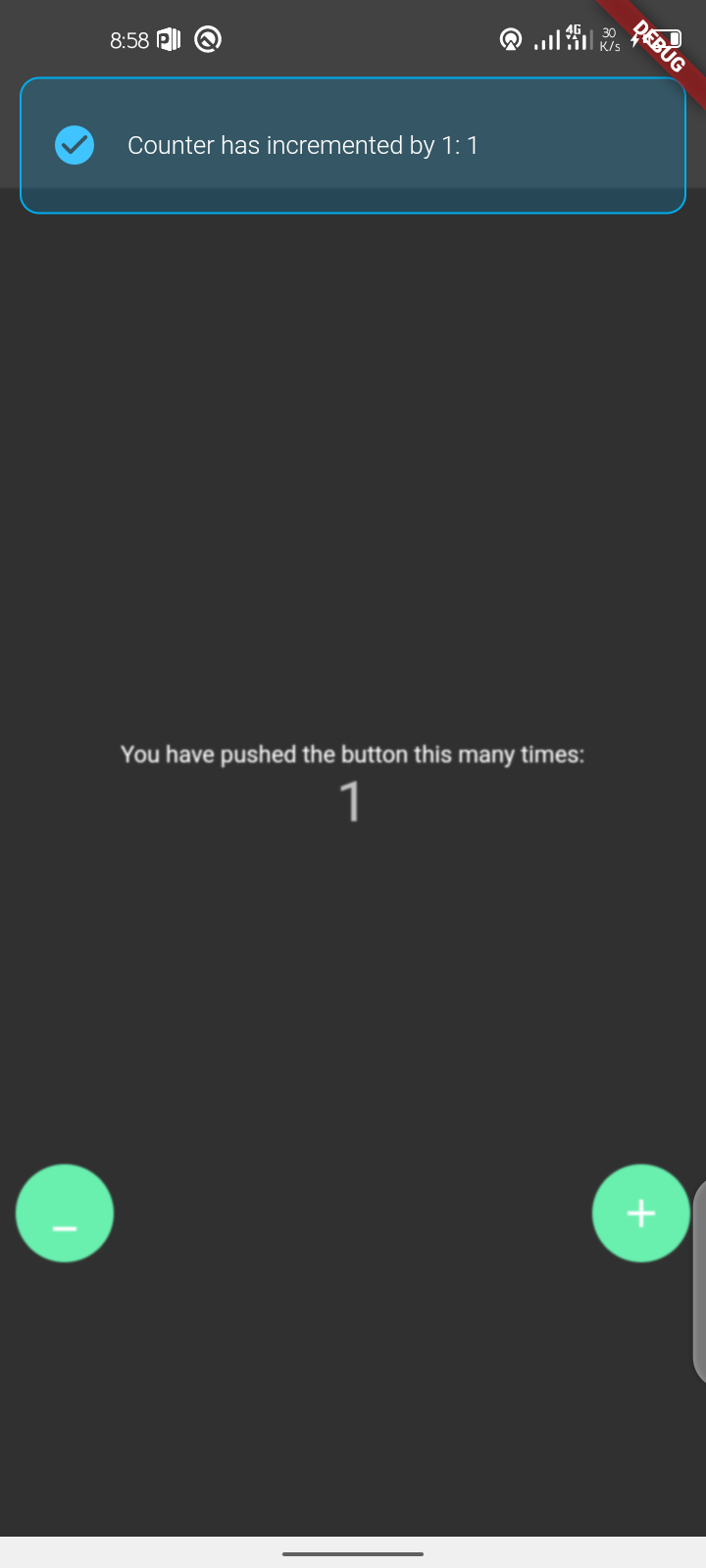 | 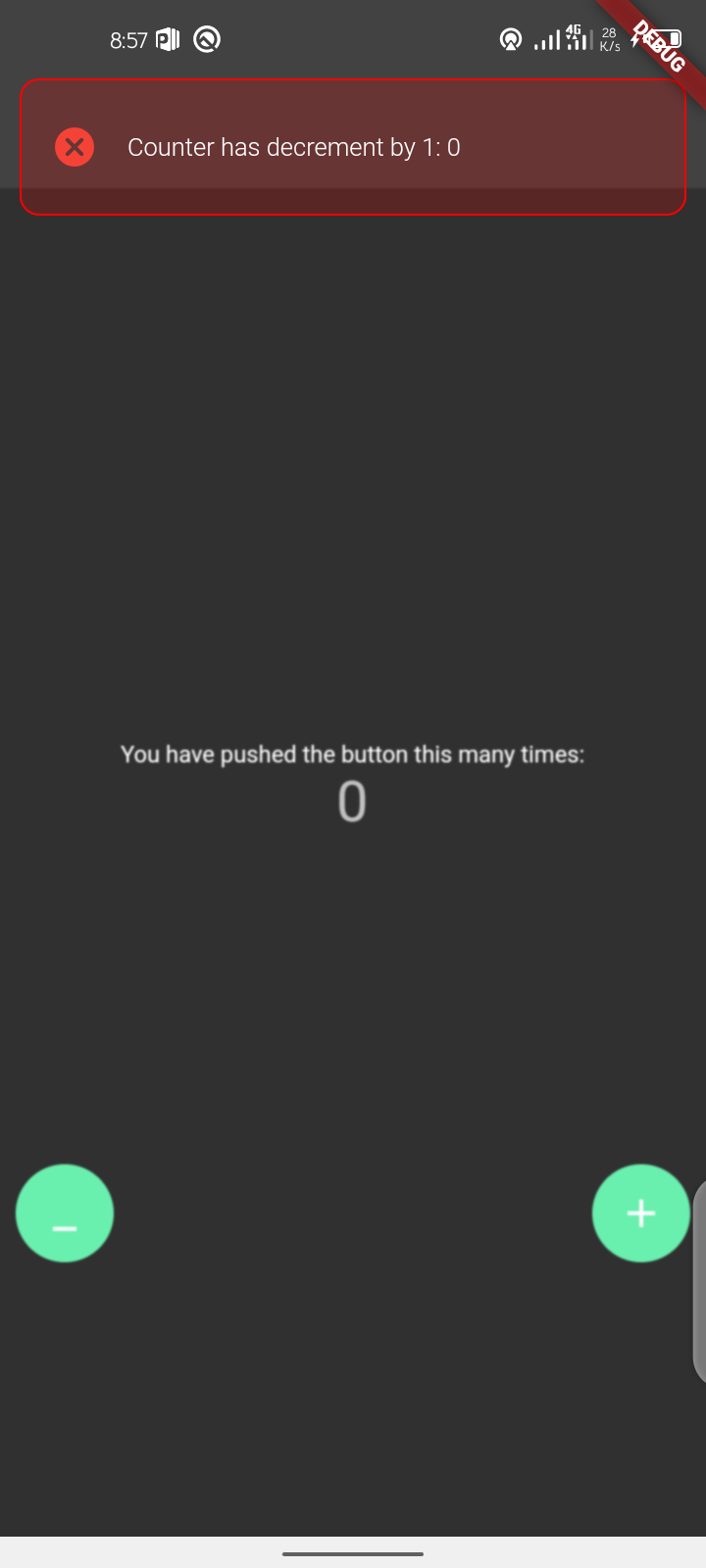 |
| GIF Shot |
|---|
 |
How to use
Simply create a Richbar widget and pass in the required parameters
Richbar().close(context);
Richbar(

      message,
      backgroundColor: const Color(0XFF1DA64D),
      duration: const Duration(seconds: 1),
      richbarPosition: RichbarPosition.top,
       leading: const Icon(
        Icons.check_circle_rounded,
        color: Colors.lightBlueAccent,
      ),
    ).show(context);
Quick reference
| Property | Purpose |
|---|---|
| text | The text to be displayed. |
| textColor | The color to use when painting the text. |
| textSize | The size to use when painting the text. |
| textFontWeight | The typeface thickness to use when painting the text (e.g., bold, FontWeight.w100). |
| textAlignment | How the text should be aligned horizontally |
| backgroundColor | Defines the background color of Richbar widget |
| duration | The length of time this animation should last. |
| showCurve | Curve animation applied when [Richbar.show()] is called |
| dismissCurve | Curve animation applied when [Richbar.dismiss(context)] is called |
| showPulse | Configures how an [AnimationController] behaves when animation starts. |
| maxWidth | Defines the width of the [Richbar] especially on big screens Like iPads, macOs, Windows,Linux and Web |
| margin | Empty space to surround the [Border] and [content]. |
| padding | An immutable set of offsets in each of the four cardinal directions. |
| richbarStyle | Defines the z-coordinate at which to place this Richbar relative to its parent. |
| borderRadius | Applies only to Richbar with rectangular shapes; ignored if [shape] is not [BoxShape.rectangle] |
| richbarPosition | Defines the entry position of the Richbar widget either top or bottom |
| onPressed | Called when the user taps this Richbar widget |
| isDismissible | Defines whether the Richbar widget can be swiped horizontally or vertically |
| onStatusChanged | Calls listener every time the status of the richbar changes. |
| dismissableDirection | Defines whether the Richbar widget can be swiped horizontally or vertically |
| enableBackgroundInteraction | Defines if user can interact with screen when Richbar is been displayed on screen |
MIT License
MIT License

Copyright (c) 2022 Dammy Richie

Permission is hereby granted, free of charge, to any person obtaining a copy
of this software and associated documentation files (the "Software"), to deal
in the Software without restriction, including without limitation the rights
to use, copy, modify, merge, publish, distribute, sublicense, and/or sell
copies of the Software, and to permit persons to whom the Software is
furnished to do so, subject to the following conditions:

The above copyright notice and this permission notice shall be included in all
copies or substantial portions of the Software.

THE SOFTWARE IS PROVIDED "AS IS", WITHOUT WARRANTY OF ANY KIND, EXPRESS OR
IMPLIED, INCLUDING BUT NOT LIMITED TO THE WARRANTIES OF MERCHANTABILITY,
FITNESS FOR A PARTICULAR PURPOSE AND NONINFRINGEMENT. IN NO EVENT SHALL THE
AUTHORS OR COPYRIGHT HOLDERS BE LIABLE FOR ANY CLAIM, DAMAGES OR OTHER
LIABILITY, WHETHER IN AN ACTION OF CONTRACT, TORT OR OTHERWISE, ARISING FROM,
OUT OF OR IN CONNECTION WITH THE SOFTWARE OR THE USE OR OTHER DEALINGS IN THE
SOFTWARE.