swipeable_button_view 0.0.2
SDKflutter
Platformandroidioswindowslinuxmacosweb
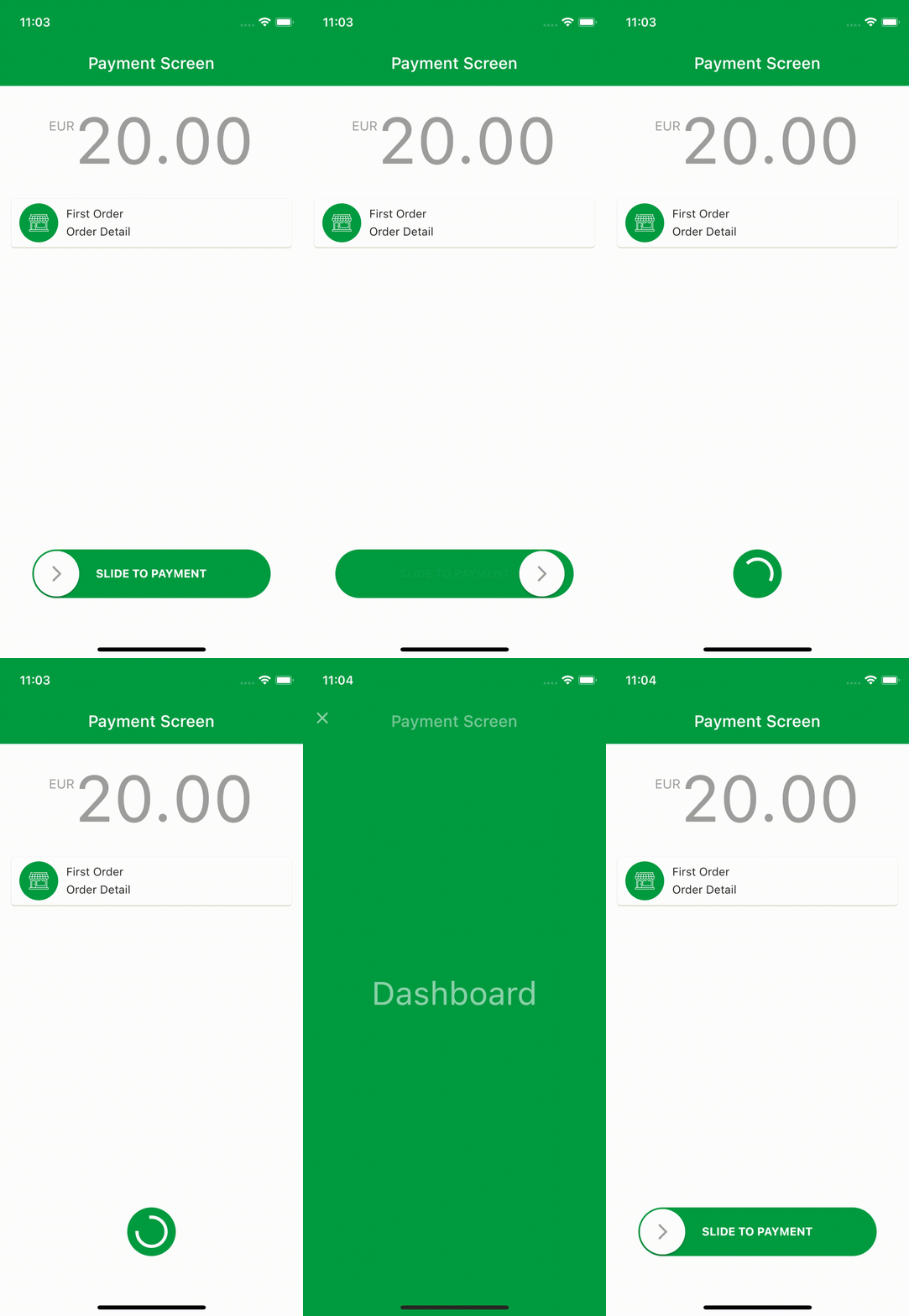
You can create ripple animated pages with swipeable_button_view.
swipeable_button_view


You can create ripple animated pages with swipeable_button_view.
Install
Add swipeable_button_view: to your pubspec.yaml dependencies then run flutter pub get
dependencies:
  swipeable_button_view:
Then import the package to use
import 'package:swipeable_button_view/swipeable_button_view.dart';
Example
import 'package:swipeable_button_view/swipeable_button_view.dart';

SwipeableButtonView(
    buttonText: 'SLIDE TO PAYMENT',
    buttonWidget: Container(
        child: Icon(Icons.arrow_forward_ios_rounded,
            color: Colors.grey,
                ),),
    activeColor: Color(0xFF009C41),
    isFinished: isFinished,
    onWaitingProcess: () {
    Future.delayed(Duration(seconds: 2), () {
            setState(() {
                isFinished = true;
                      });
                    });
                  },
    onFinish: () async {
        await Navigator.push(context,
                        PageTransition(
                            type: PageTransitionType.fade,
                            child: DashboardScreen()));

                    //TODO: For reverse ripple effect animation
                    setState(() {
                      isFinished = false;
                    });
                  },
)
Screen Recording
Props
| props | types | defaultValues | isRequired |
|---|---|---|---|
| onFinish | VoidCallback | true | |
| onWaitingProcess | VoidCallback | true | |
| activeColor | Color | true | |
| buttonWidget | Widget | true | |
| buttonText | String | true | |
| isFinished | bool | false | |
| isActive | bool | true | |
| disableColor | Color | Colors.grey | |
| buttonColor | Color | Colors.white | |
| buttontextstyle | TextStyle | TextStyle(color: Colors.white, fontWeight: FontWeight.bold) | |
| indicatorColor | Animation<Color?> | AlwaysStoppedAnimation<Color>(Colors.white)}) |