text_highlight_codespark 1.0.1
SDKflutter
Platformandroidioswindowslinuxmacosweb
A Flutter package for highlighting text within a string, supporting single, multiple, and regex-based queries.

HighlightText
HighlightText is a Flutter widget that highlights specific parts of a given text. It supports case-sensitive searches, multiple queries, and regular expressions for advanced matching scenarios.
Screenshot
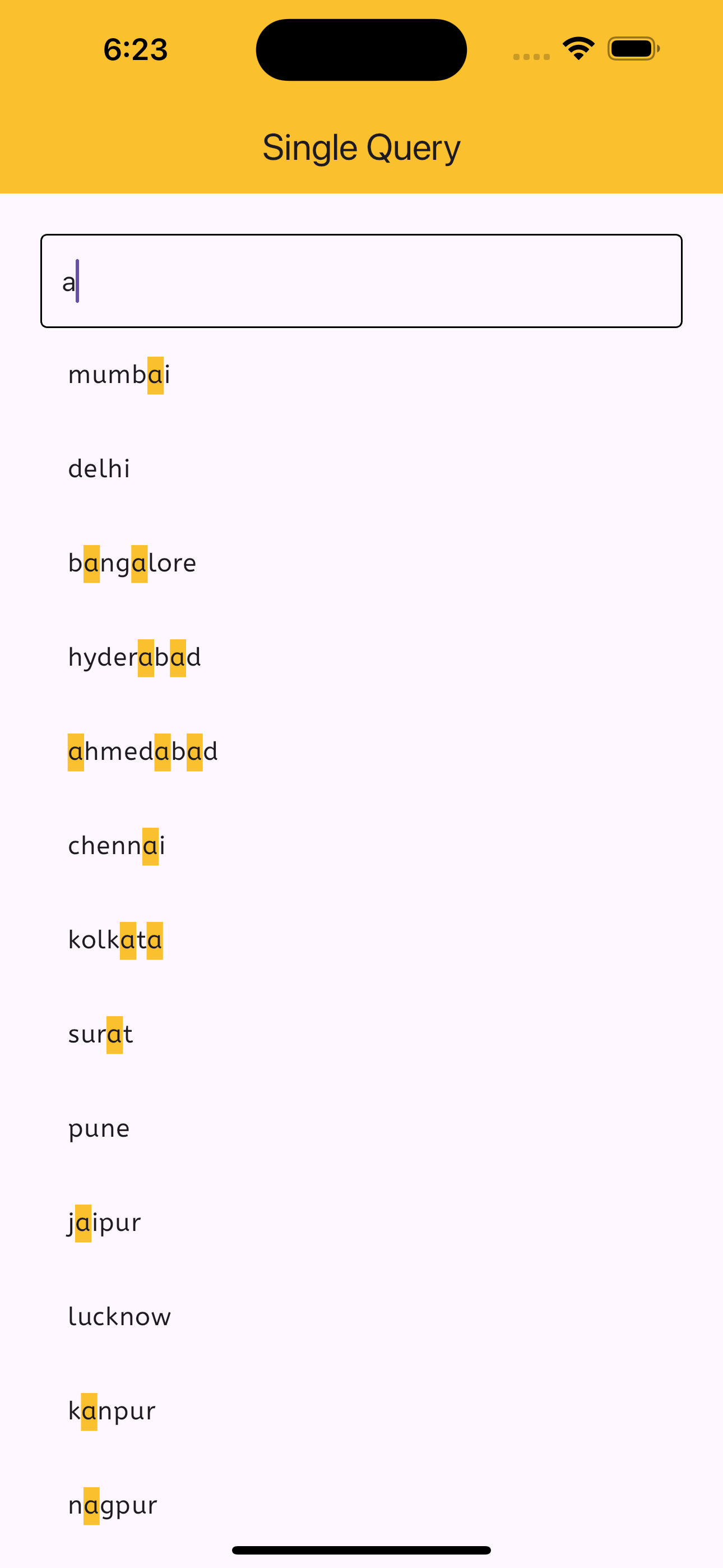
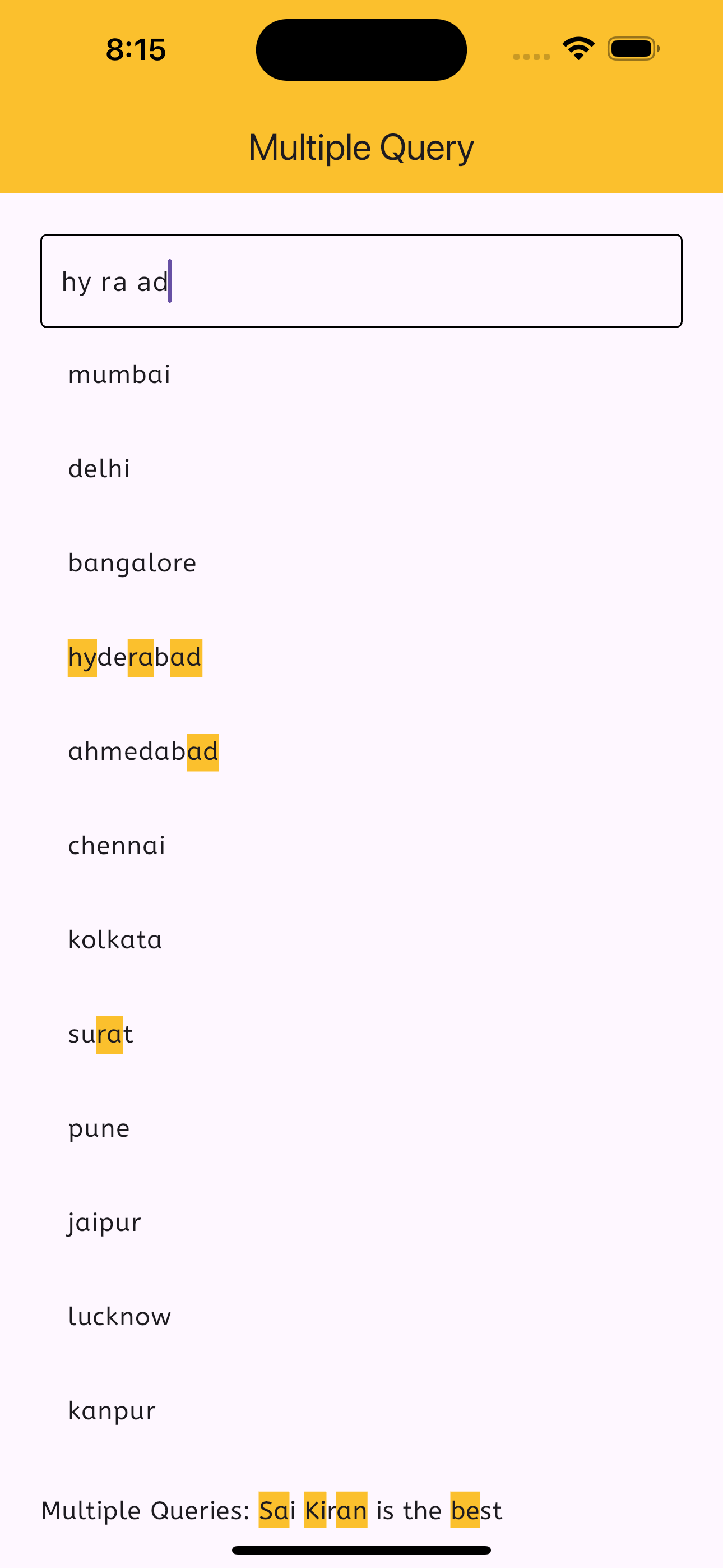
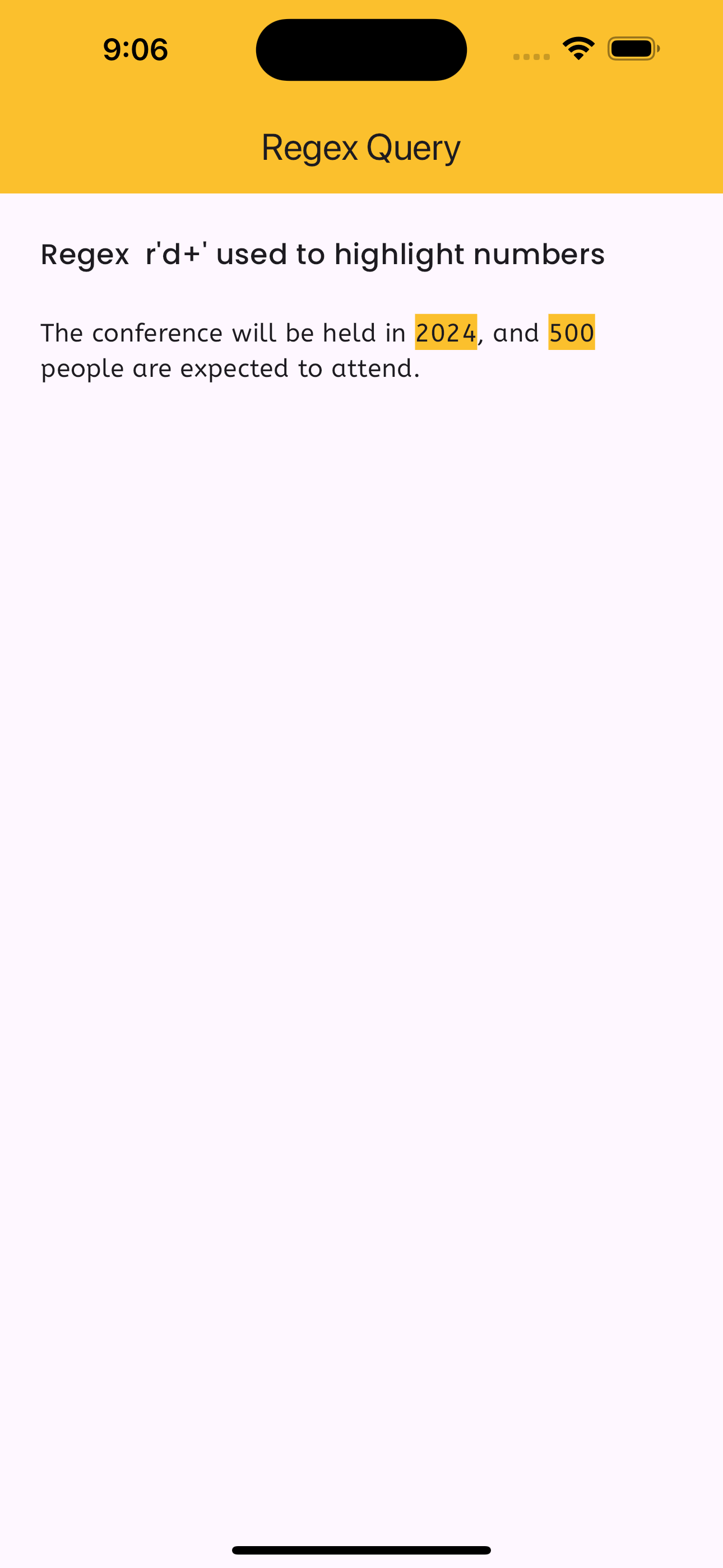
Features
- Single Query Highlighting: Highlight a single query within the source text.
- Multiple Queries Highlighting: Highlight multiple queries within the source text.
- Regex Highlighting: Highlight matches based on a regular expression.
- Case Sensitivity: Option to enable or disable case-sensitive searches.
Installation
Add this to your package's pubspec.yaml file:
dependencies:
  text_highlight_codespark: ^1.0.1
Then, run flutter pub get to install the package.
Usage
Single Query Highlighting
import 'package:flutter/material.dart';
import 'package:text_highlight_codespark/text_highlight_codespark.dart';

class ExampleSingleQuery extends StatelessWidget {
  @override
  Widget build(BuildContext context) {
    return Scaffold(
      body: Center(
        child: HighlightText(
          query: 'highlight',
          source: 'This is a highlight text example.',
          highlightColor: Colors.yellow,
          textStyle: TextStyle(fontSize: 20),
          matchedTextStyle: TextStyle(color: Colors.black, fontWeight: FontWeight.bold),
          caseSensitive: false,
        ),
      ),
    );
  }
}
Multiple Queries Highlighting
import 'package:flutter/material.dart';
import 'package:text_highlight_codespark/text_highlight_codespark.dart';

class ExampleMultipleQueries extends StatelessWidget {
  @override
  Widget build(BuildContext context) {
    return Scaffold(
      body: Center(
        child: HighlightText.multiple(
          queires: ['highlight', 'text'],
          source: 'This is a highlight text example.',
          highlightColor: Colors.green,
          textStyle: TextStyle(fontSize: 20),
          matchedTextStyle: TextStyle(color: Colors.white, fontWeight: FontWeight.bold),
          caseSensitive: false,
        ),
      ),
    );
  }
}
Regex Highlighting
import 'package:flutter/material.dart';
import 'package:text_highlight_codespark/text_highlight_codespark.dart';

class ExampleRegex extends StatelessWidget {
  @override
  Widget build(BuildContext context) {
    return Scaffold(
      body: Center(
        child: HighlightText.regex(
          regex: r'\b\w{7}\b', // Highlights all 7-letter words
          source: 'This is an example with regex highlighting.',
          highlightColor: Colors.blue,
          textStyle: TextStyle(fontSize: 20),
          matchedTextStyle: TextStyle(color: Colors.white, fontWeight: FontWeight.bold),
          caseSensitive: false,
        ),
      ),
    );
  }
}
Constructor Parameters
HighlightText
| Parameter | Type | Default | Description |
|---|---|---|---|
query | String | Required | The query string to highlight. |
source | String | Required | The source text in which to search. |
highlightColor | Color | Colors.red | The color used to highlight matches. |
textStyle | TextStyle | null | The default style for non-matching text. |
matchedTextStyle | TextStyle | null | The style for matching text. |
caseSensitive | bool? | false | Whether the search is case-sensitive. |
HighlightText.multiple
| Parameter | Type | Default | Description |
|---|---|---|---|
queries | List<String> | Required | The list of query strings to highlight. |
source | String | Required | The source text in which to search. |
highlightColor | Color | Colors.red | The color used to highlight matches. |
textStyle | TextStyle | null | The default style for non-matching text. |
matchedTextStyle | TextStyle | null | The style for matching text. |
caseSensitive | bool? | false | Whether the search is case-sensitive. |
HighlightText.regex
| Parameter | Type | Default | Description |
|---|---|---|---|
regex | String | Required | The regular expression to use. |
source | String | Required | The source text in which to search. |
highlightColor | Color | Colors.red | The color used to highlight matches. |
textStyle | TextStyle | null | The default style for non-matching text. |
matchedTextStyle | TextStyle | null | The style for matching text. |
caseSensitive | bool? | false | Whether the search is case-sensitive. |