universal_code_viewer 1.0.1%2B3
A powerful, customizable Universal Code Viewer for Flutter that supports 50+ programming languages and multiple themes. Built for performance and extensibility.
Universal Code Viewer
A powerful, customizable Universal Code Viewer for Flutter that supports 50+ programming languages and multiple themes. Built for performance and extensibility.




Features
- 🎨 Multiple built-in themes (VSCode, GitHub, Dracula, etc.)
- 🔍 Automatic language detection
- 📝 Support for 50+ programming languages
- ✨ Customizable syntax styles
- 📋 Copy to clipboard functionality
- 🔢 Optional line numbers
- 🎯 Built for Flutter
Platform Support
| Android | iOS | Web | macOS | Linux | Windows |
|---|---|---|---|---|---|
| ✅ | ✅ | ✅ | ✅ | ✅ | ✅ |
Preview
Mobile iOS
| Light Theme | Dark Theme |
|---|---|
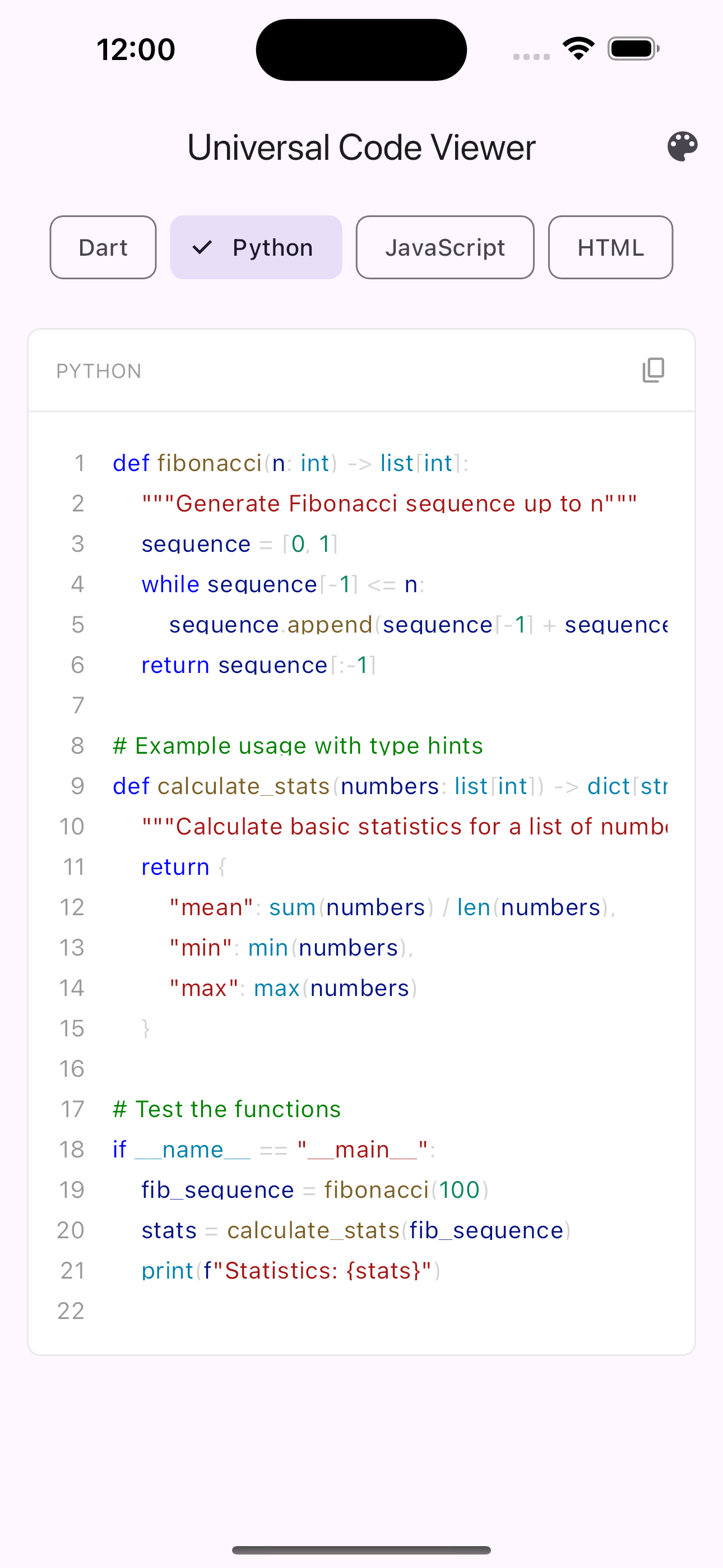 | 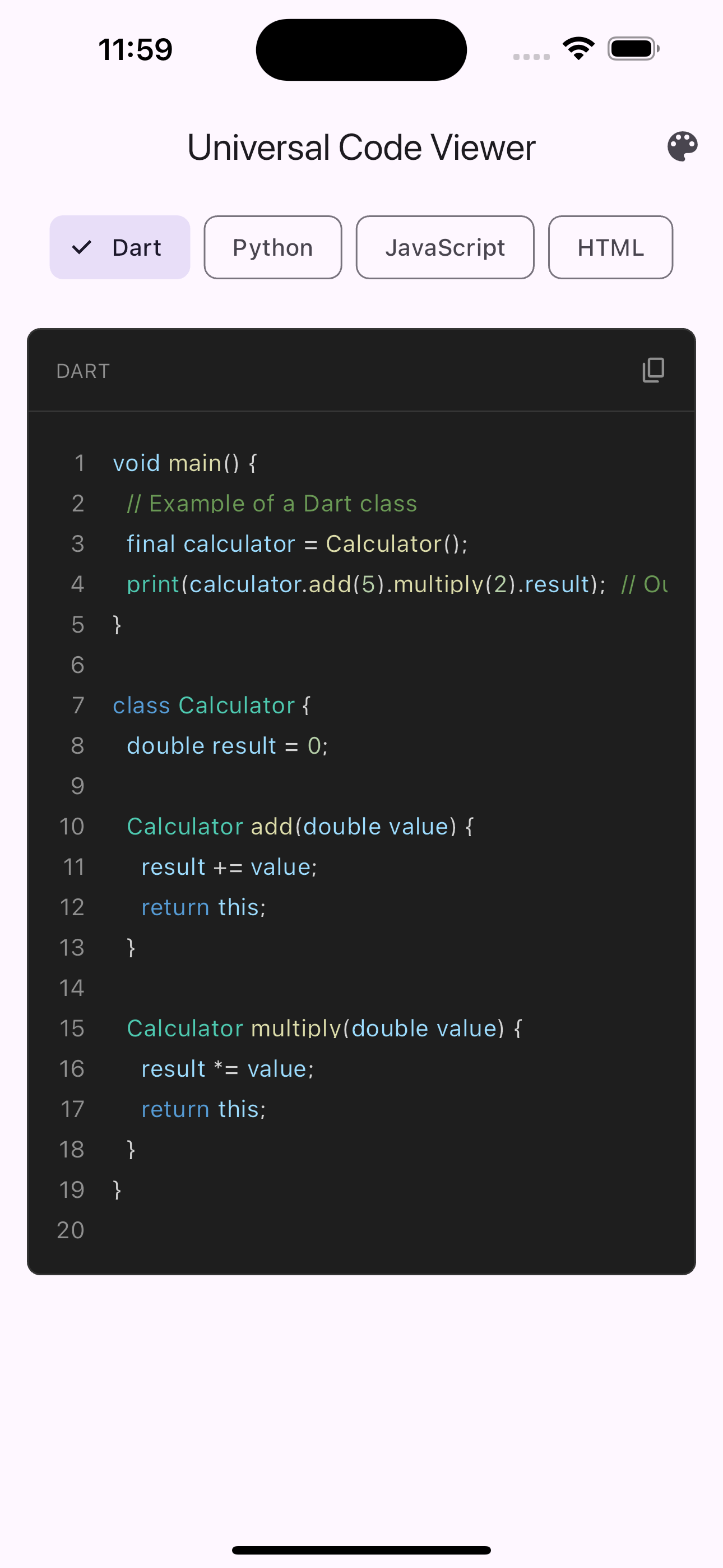 |
Mobile Android
| Light Theme | Dark Theme |
|---|---|
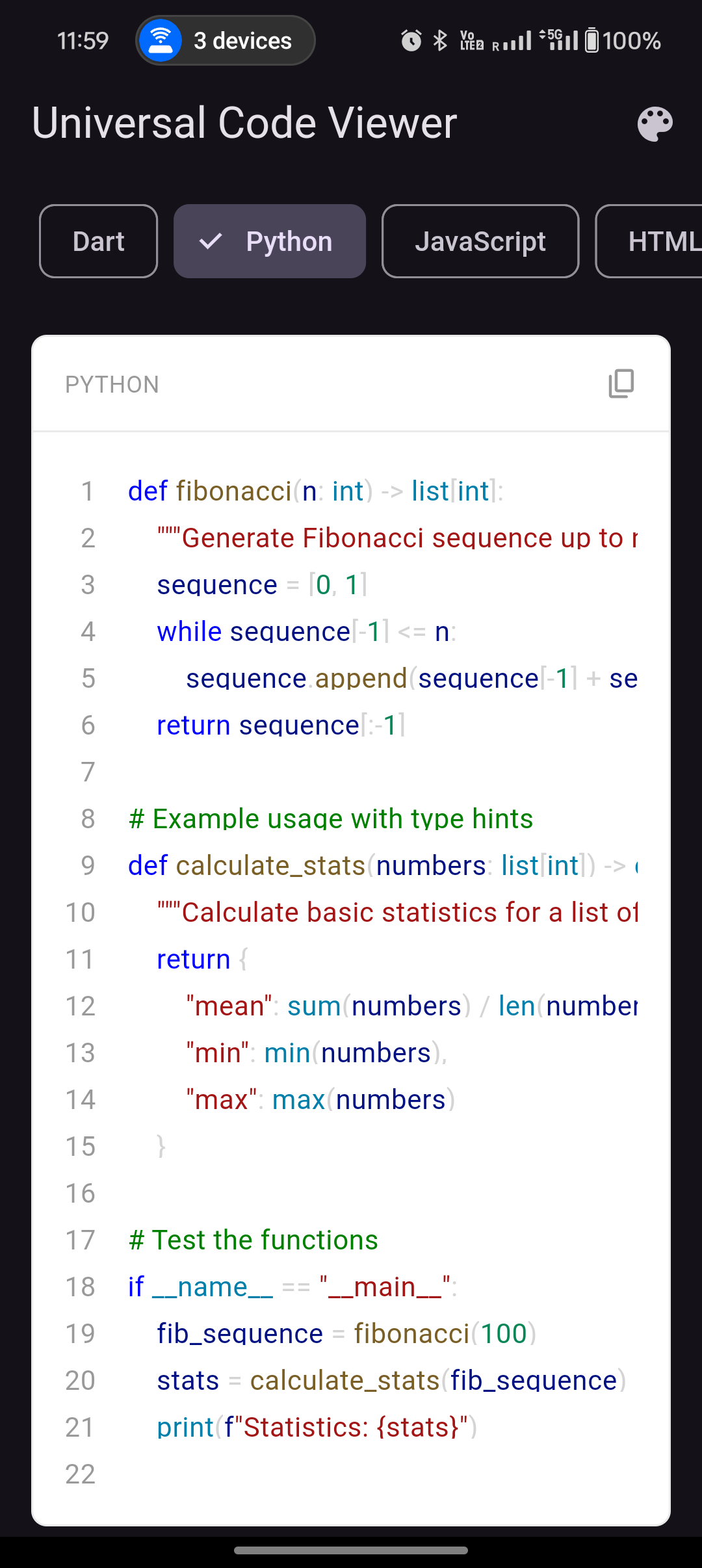 | 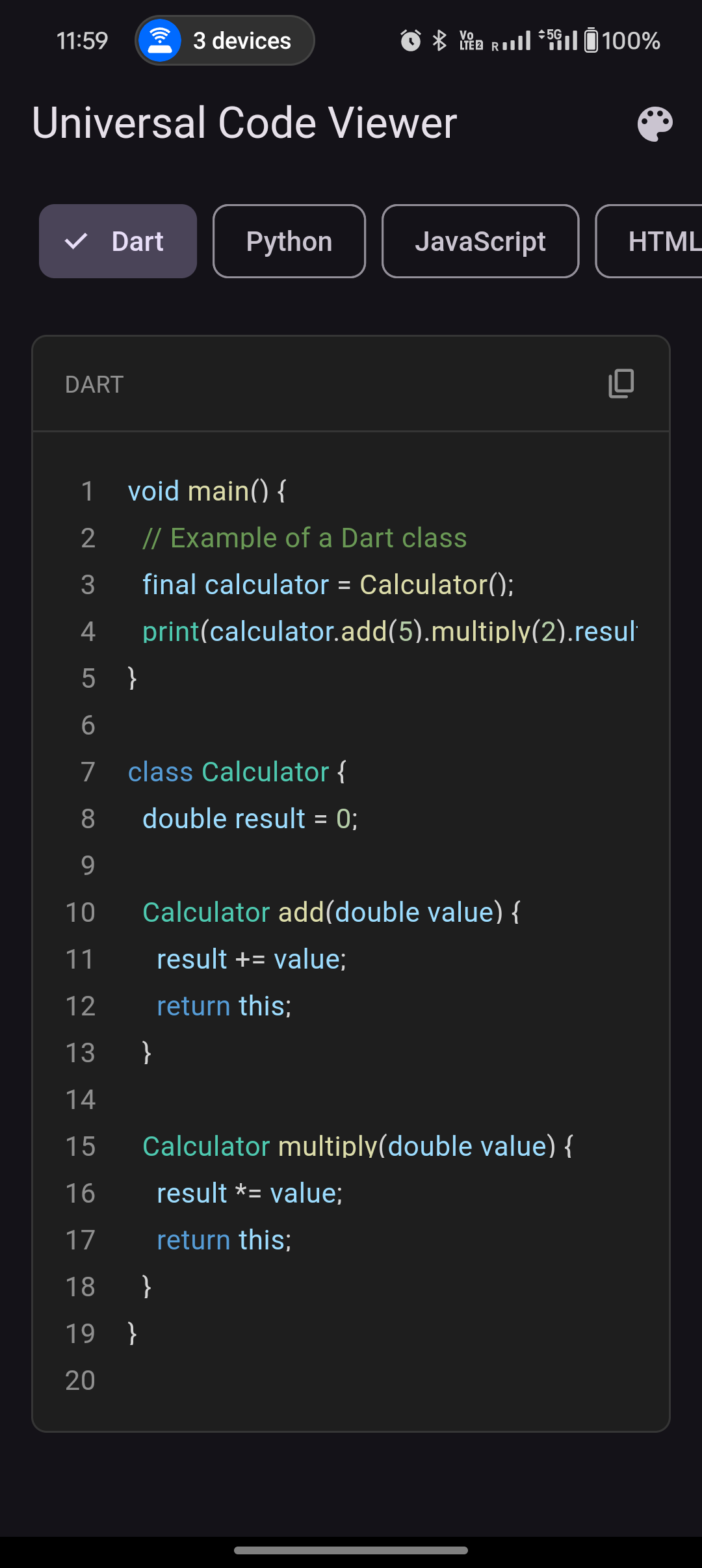 |
Web
| Light Theme | Dark Theme |
|---|---|
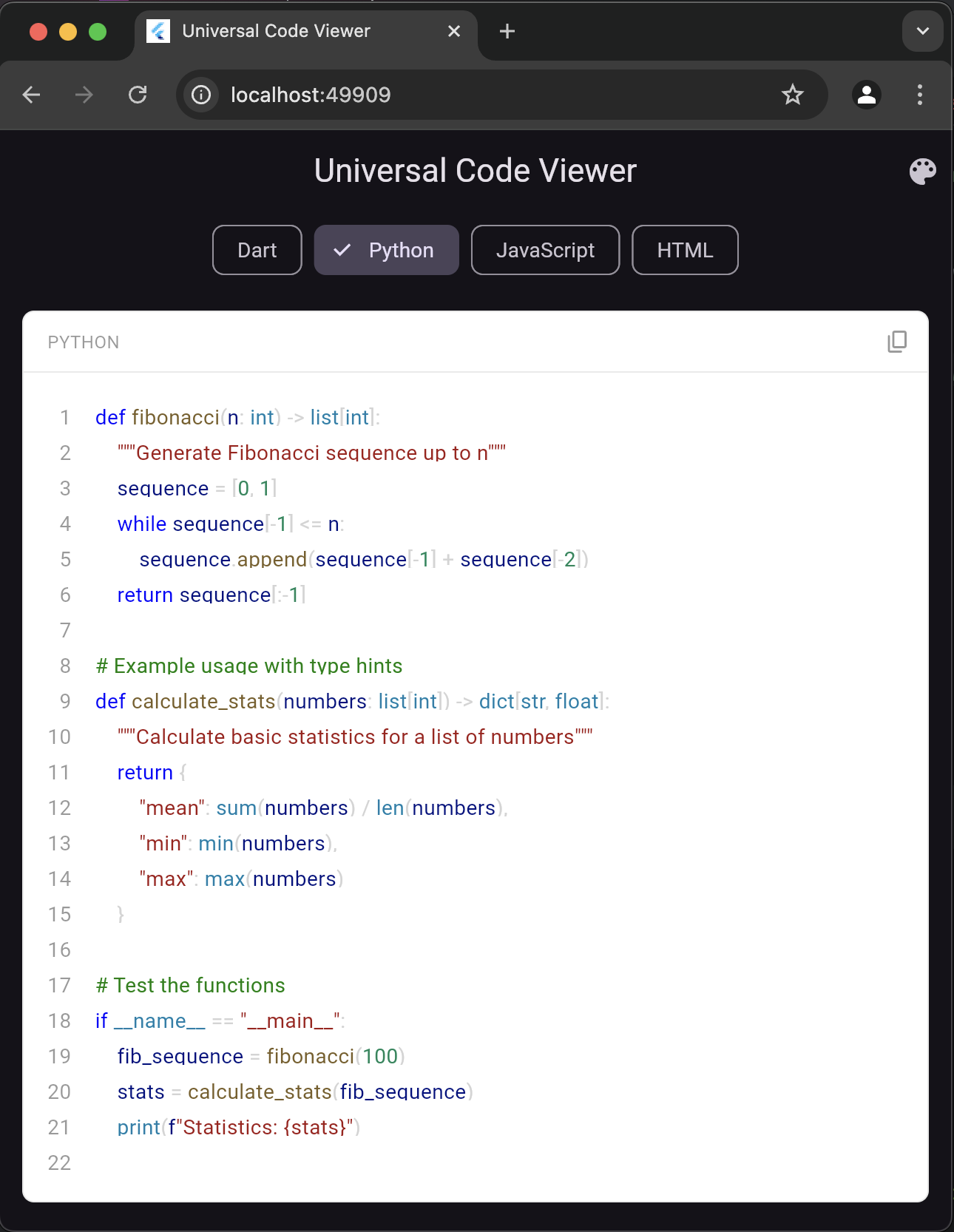 | 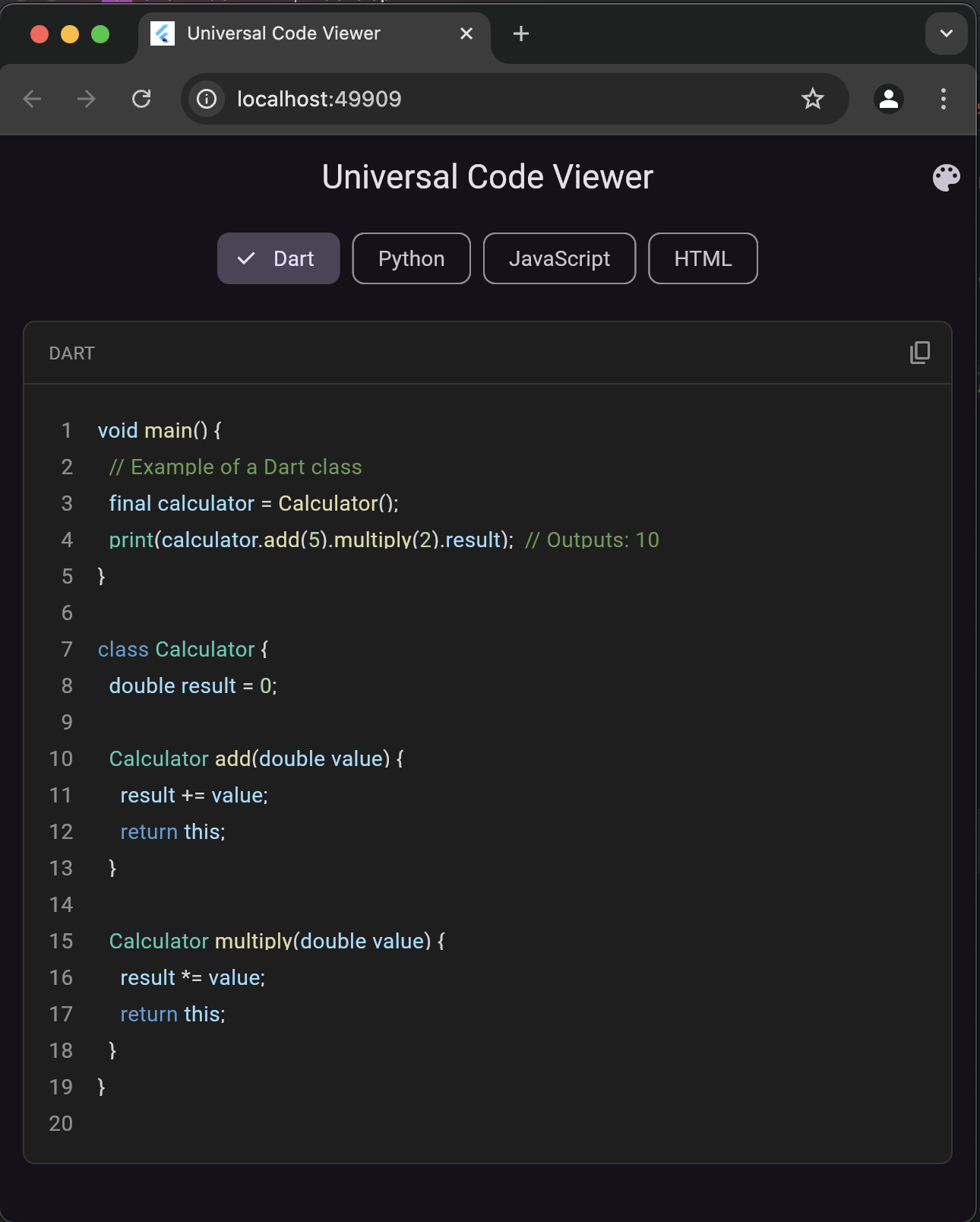 |
Installation
Add this to your package's pubspec.yaml file:
dependencies:
  universal_code_viewer: ^1.0.0
Install packages from the command line:
flutter pub get
Basic Usage
import 'package:universal_code_viewer/universal_code_viewer.dart';

UniversalCodeViewer(
  code: '''
void main() {
  print("Hello, World!");
}
''',
  style: SyntaxHighlighterStyles.vscodeDark,
)
Configuration Options
| Parameter | Type | Default | Description |
|---|---|---|---|
code | String | Required | The source code to highlight |
style | SyntaxStyle | Required | The syntax highlighting theme |
showLineNumbers | bool | true | Show/hide line numbers |
codeLanguage | String | NA | Sometimes, the auto-detect language feature may not work. In such cases, display this text: |
isCodeLanguageView | bool | NA | Enable/disable auto-detect language text |
copyWidget | Widget | NA | Include your custom copyWidget. |
enableCopy | bool | true | Enable/disable copy button |
padding | EdgeInsetsGeometry? | EdgeInsets.all(16) | Custom padding |
Supported Languages
Programming Languages
- Ada
- Assembly
- AWK
- Bash/Shell
- C
- C++
- C#
- Clojure
- COBOL
- D
- Dart
- Elixir
- Elm
- Erlang
- F#
- Fortran
- Go
- Groovy
- Haskell
- Java
- JavaScript
- Julia
- Kotlin
- Lisp
- Lua
- MATLAB
- Objective-C
- Pascal
- Perl
- PHP
- Prolog
- Python
- R
- Ruby
- Rust
- Scala
- Scheme
- Simula
- Smalltalk
- Swift
- TCL
- TypeScript
- VB.NET
- VHDL
- Verilog
Web Technologies
- CSS
- HTML
- LESS
- SCSS
- SASS
Databases
- PL/SQL
- SQL
Frameworks
- Angular
- Django
- Express.js
- Flask
- Node.js
- React
- Vue.js
Built-in Themes
// Available themes
SyntaxHighlighterStyles.vscodeLight
SyntaxHighlighterStyles.vscodeDark        // Default
SyntaxHighlighterStyles.githubLight
SyntaxHighlighterStyles.githubDark
SyntaxHighlighterStyles.atomOneLight
SyntaxHighlighterStyles.monokaiPro
SyntaxHighlighterStyles.duotoneDarkSea
SyntaxHighlighterStyles.vue
SyntaxHighlighterStyles.ayuDark
SyntaxHighlighterStyles.draculaTheme
Theme Examples
VSCode Dark (Default)
static const vscodeDark = SyntaxStyle(
  baseStyle: TextStyle(color: Colors.white70),
  keywordStyle: TextStyle(color: Color(0xFF569CD6)),
  classStyle: TextStyle(color: Color(0xFF4EC9B0)),
  methodStyle: TextStyle(color: Color(0xFFDCDCAA)),
  variableStyle: TextStyle(color: Color(0xFF9CDCFE)),
  stringStyle: TextStyle(color: Color(0xFFCE9178)),
  numberStyle: TextStyle(color: Color(0xFFB5CEA8)),
  commentStyle: TextStyle(color: Color(0xFF6A9955)),
  tagStyle: TextStyle(color: Color(0xFF569CD6)),
  attributeStyle: TextStyle(color: Color(0xFF9CDCFE)),
  backgroundColor: Color(0xFF1E1E1E),
);
GitHub Light
static const githubLight = SyntaxStyle(
  baseStyle: TextStyle(color: Color(0xFF24292E)),
  keywordStyle: TextStyle(color: Color(0xFFd73a49)),
  classStyle: TextStyle(color: Color(0xFF6f42c1)),
  methodStyle: TextStyle(color: Color(0xFF6f42c1)),
  variableStyle: TextStyle(color: Color(0xFF005cc5)),
  stringStyle: TextStyle(color: Color(0xFF032f62)),
  numberStyle: TextStyle(color: Color(0xFF005cc5)),
  commentStyle: TextStyle(color: Color(0xFF6a737d)),
  tagStyle: TextStyle(color: Color(0xFF22863a)),
  attributeStyle: TextStyle(color: Color(0xFF6f42c1)),
  backgroundColor: Colors.white,
);
Advanced Usage
Custom Theme Creation
final myCustomTheme = SyntaxStyle(
  baseStyle: TextStyle(fontSize: 14.0, color: Colors.grey[800]),
  keywordStyle: TextStyle(fontSize: 14.0, color: Colors.blue[800]),
  classStyle: TextStyle(fontSize: 14.0, color: Colors.purple[800]),
  methodStyle: TextStyle(fontSize: 14.0, color: Colors.indigo[800]),
  variableStyle: TextStyle(fontSize: 14.0, color: Colors.teal[800]),
  stringStyle: TextStyle(fontSize: 14.0, color: Colors.green[800]),
  numberStyle: TextStyle(fontSize: 14.0, color: Colors.orange[800]),
  commentStyle: TextStyle(fontSize: 14.0, color: Colors.grey[600]),
  tagStyle: TextStyle(fontSize: 14.0, color: Colors.red[800]),
  attributeStyle: TextStyle(fontSize: 14.0, color: Colors.purple[800]),
  operatorStyle: TextStyle(fontSize: 14.0, color: Colors.grey[800]),
  punctuationStyle: TextStyle(fontSize: 14.0, color: Colors.grey[800]),
  backgroundColor: Colors.grey[100]!,
);
Language Examples
Python
UniversalCodeViewer(
  code: '''
def fibonacci(n):
    """Generate Fibonacci sequence"""
    a, b = 0, 1
    while a < n:
        yield a
        a, b = b, a + b
''',
  style: SyntaxHighlighterStyles.vscodeDark,
  codeLanguage: 'Python'
);
JavaScript
UniversalCodeViewer(
  code: '''
class Calculator {
  constructor() {
    this.result = 0;
  }

  add(num) {
    this.result += num;
    return this;
  }

  getResult() {
    return this.result;
  }
}
''',
  style: SyntaxHighlighterStyles.githubLight,
  codeLanguage: 'JavaScript'
);
HTML
UniversalCodeViewer(
  code: '''
<!DOCTYPE html>
<html>
<head>
    <title>Sample Page</title>
    <style>
        .container {
            margin: 20px;
            padding: 10px;
        }
    </style>
</head>
<body>
    <div class="container">
        <h1>Welcome</h1>
        <p>This is a sample page.</p>
    </div>
</body>
</html>
''',
  style: SyntaxHighlighterStyles.monokaiPro,
  codeLanguage: 'HTML'
);
Example 1: Using a custom font family with VSCode Dark theme
final vscodeDarkWithCustomFont = SyntaxHighlighterStyles.vscodeDark
        .withFontFamily('Fira Code')
        .withFontSize(16.0);
Example 2: Using a different font with GitHub Light theme
final githubLightWithCustomFont = SyntaxHighlighterStyles.githubLight
        .withFontFamily('JetBrains Mono')
        .withFontSize(14.0);
Example 3: Combining multiple fonts and sizes with Dracula theme
final draculaCustomized = SyntaxHighlighterStyles.draculaTheme
        .withFontFamily('Cascadia Code')
        .withFontSize(15.0);
Example 4: Custom style with different fonts for different elements
final customStyle = SyntaxStyle(
      baseStyle: const TextStyle(
        fontSize: 14.0,
        color: Color(0xFF24292E),
        fontFamily: 'Source Code Pro',
      ),
      keywordStyle: const TextStyle(
        fontSize: 14.0,
        color: Color(0xFFD73A49),
        fontFamily: 'Fira Code',
        fontWeight: FontWeight.bold,
      ),
      classStyle: const TextStyle(
        fontSize: 14.0,
        color: Color(0xFF6F42C1),
        fontFamily: 'JetBrains Mono',
      ),
      methodStyle: const TextStyle(
        fontSize: 14.0,
        color: Color(0xFF6F42C1),
        fontFamily: 'Cascadia Code',
      ),
      stringStyle: const TextStyle(
        fontSize: 14.0,
        color: Color(0xFF032F62),
        fontFamily: 'Fira Code',
        fontStyle: FontStyle.italic,
      ),
      numberStyle: const TextStyle(
        fontSize: 14.0,
        color: Color(0xFF005CC5),
        fontFamily: 'JetBrains Mono',
      ),
      commentStyle: const TextStyle(
        fontSize: 14.0,
        color: Color(0xFF6A737D),
        fontFamily: 'Source Code Pro',
        fontStyle: FontStyle.italic,
      ),
      backgroundColor: Colors.white,
      // ... other style properties
    ).withFontSize(16.0); // Increase all font sizes
Contributing
Contributions are welcome! Here's how you can help:
- Fork the repository
- Create a new branch (
git checkout -b feature/improvement) - Make changes and commit (
git commit -am 'Add new feature') - Push to the branch (
git push origin feature/improvement) - Create a Pull Request
Please ensure your code follows our style guide and includes appropriate tests.
Running Tests
flutter test
License
This project is licensed under the MIT License - see the LICENSE file for details.
Support
- GitHub Issues: Report bugs or request features
- Email: info@codefusionbit.com
- X (Twitter): @codefusionbit
Dependencies
- flutter: sdk: flutter
- string_scanner: ^1.2.0
Version History
Acknowledgments
- VSCode theme colors inspiration
- GitHub theme colors inspiration
- Flutter team for the amazing framework
FAQ
Q: How does language detection work? A: The package uses pattern matching to detect language-specific syntax patterns.
Q: Can I use custom fonts?
A: Yes, use the withFontFamily() method on any theme.
Q: How do I report bugs? A: Please use GitHub Issues with a minimal reproducible example.
Code of Conduct
This project follows the Flutter Code of Conduct.
Security
Please report security issues to security@codefusionbit.com.
Made with ❤️ by the CodeFusionBit Team
If you like this package, please give it a ⭐️ on GitHub!