vertical_card_pager 1.6.3
SDKflutter
Platformandroidiosweb
Use dynamic and beautiful card view pagers to help you create great apps.



Use dynamic and beautiful card view pagers to help you create great apps.
Preview


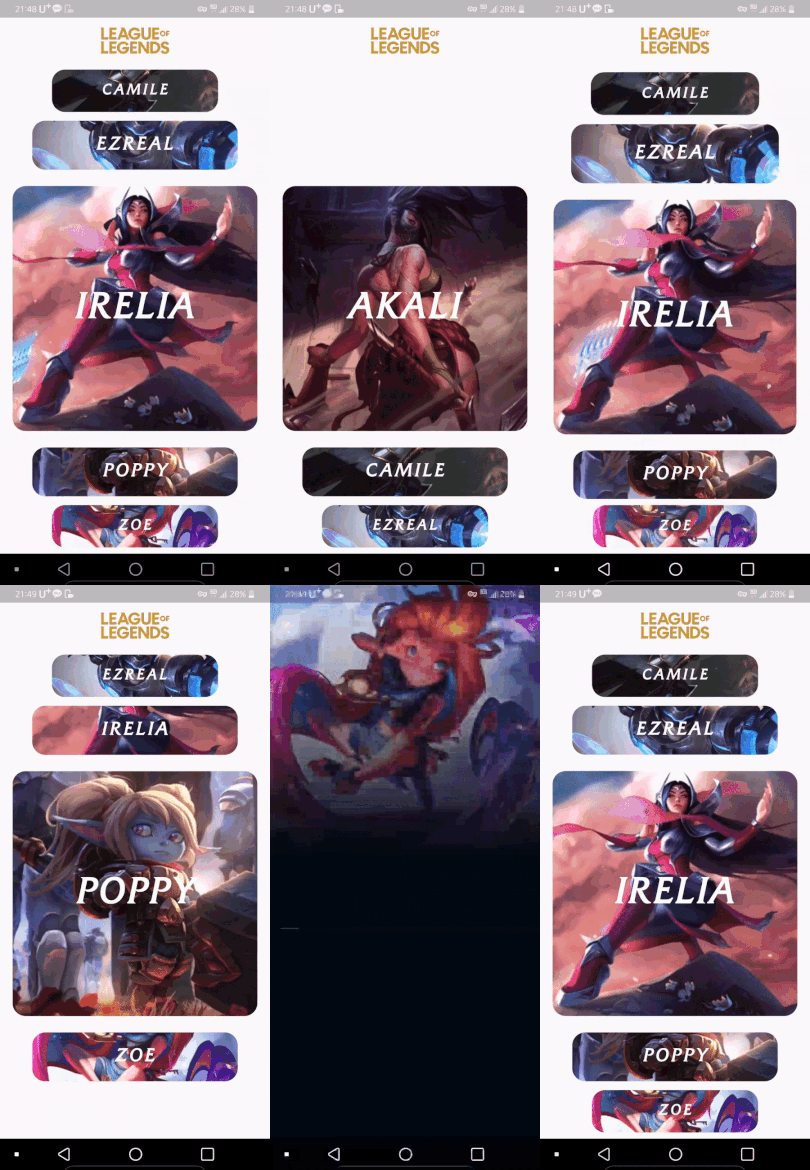
Alignment
| Left | Center(Default) | Right |
|---|---|---|
 |  |  |
Installing
-
Add dependency to
pubspec.yamlGet the latest version in the 'Installing' tab on pub.dartlang.org
dependencies:
    vertical_card_pager: ^1.6.0
- Import the package
import 'package:vertical_card_pager/vertical_card_pager.dart';
- Adding
VerticalCardPager
With optional parameters
  @override
  Widget build(BuildContext context) {
    final List<String> titles = ["RED", "YELLOW", "BLACK", "CYAN", "BLUE", "GREY", ];

    final List<Widget> images = [
      Container(
        color: Colors.red,
      ),
        Container(
        color: Colors.yellow,
      ),
        Container(
        color: Colors.black,
      ),
        Container(
        color: Colors.cyan,
      ),
        Container(
        color: Colors.blue,
      ),
        Container(
        color: Colors.grey,
      ),
    ];
    return Scaffold(
      body: SafeArea(
        child: Column(
          children: <Widget>[
            Expanded(
              child: Container(
                child: VerticalCardPager(
                  titles: titles,  // required
                  images: images,  // required
                  textStyle: TextStyle(color: Colors.white, fontWeight: FontWeight.bold), // optional
                  onPageChanged: (page) { // optional
                  },
                  onSelectedItem: (index) { // optional
                  },
                  initialPage: 0, // optional
                  align : ALIGN.CENTER, // optional
                  physics : ClampingScrollPhysics() // optional
                ),
              ),
            ),
          ],
        ),
      ),
    );
  }
How to use
Check out the example app in the example directory or the 'Example' tab on pub.dartlang.org for a more complete example.
Example on Web
Reference
This package's animation is inspired from from this Dribbble art.