weekly_tab_pager 0.0.9
SDKflutter
Platformandroidioswindowslinuxmacosweb
Customizable TabBar component with integrated TabView that displays weekdays and allows for infinite scrolling by week.
Weekly Tab Pager
Customizable TabBar component with integrated TabView that displays weekdays and allows for infinite scrolling by week.
This component is used in the real-world application Student Planner (Android).
Feel free to use this library if you find it useful!
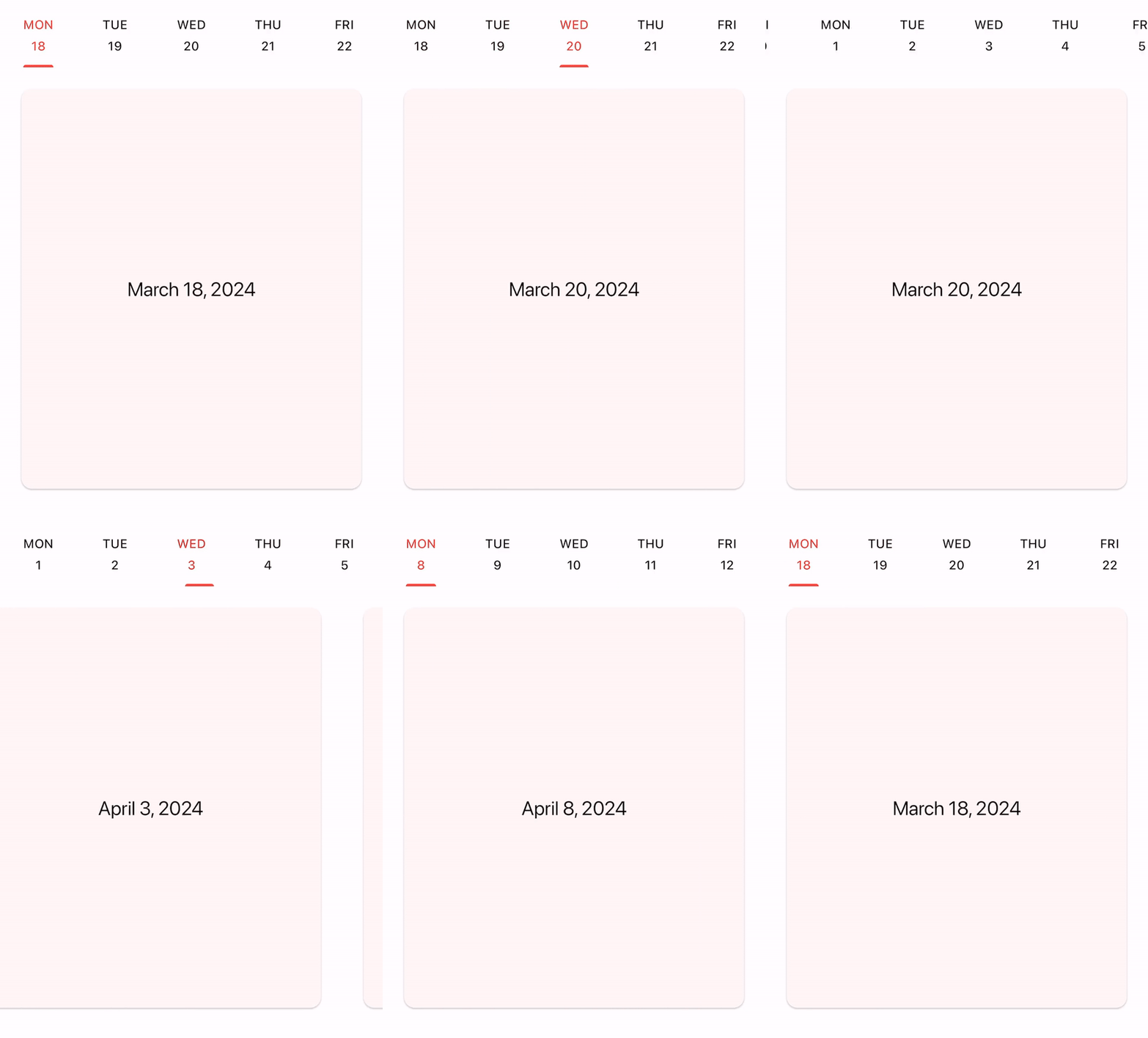
Features
- TabBar and TabView connected together
- Single controller for navigation
- Smooth animiaton during scrolling
- Infinite scrolling in both directions
- Specified days of week in tabs
- Callbacks for tab/page changes
Usage
Add the following line to pubspec.yaml:
dependencies:
  weekly_tab_pager: ^0.0.9
Import the package in your code:
import 'package:weekly_tab_pager/weekly_tab_pager.dart';
Declare a controller for navigation:
final controller = WeeklyTabController(
  initialDate: DateTime.now(),
  weekdays: [1, 2, 3, 4, 5, 6],
  weekCount: 100,
  vsync: this,
);
Add a tabbar and define how tabs will be built:
WeeklyTabBar(
  controller: _controller,
  tabBuilder: _buildTab,
)

Widget _buildTab(BuildContext context, DateTime date) {
  return Column(
    mainAxisAlignment: MainAxisAlignment.center,
    children: [
      Text(DateFormat('E').format(date).toUpperCase()),
      const SizedBox(height: 4),
      Text(date.day.toString()),
    ],
  );
}
Add a tabview and define how pages will be built:
WeeklyTabView(
  controller: _controller,
  pageBuilder: _buildPage,
)

Widget _buildPage(BuildContext context, DateTime date) {
  return Card(
    margin: const EdgeInsets.all(24),
    child: Center(
      child: Text(
        DateFormat.yMMMMd().format(date),
        style: Theme.of(context).textTheme.titleLarge,
      ),
    ),
  );
}
Use a controller to navigate to the specific date:
controller.animateTo(DateTime.now());
Provide callbacks to listen navigator events:
  onTabScrolled: (date) => ...,
  onTabChanged: (date) => ...,
  onPageChanged: (date) => ...,
Make sure to check out example for more details.